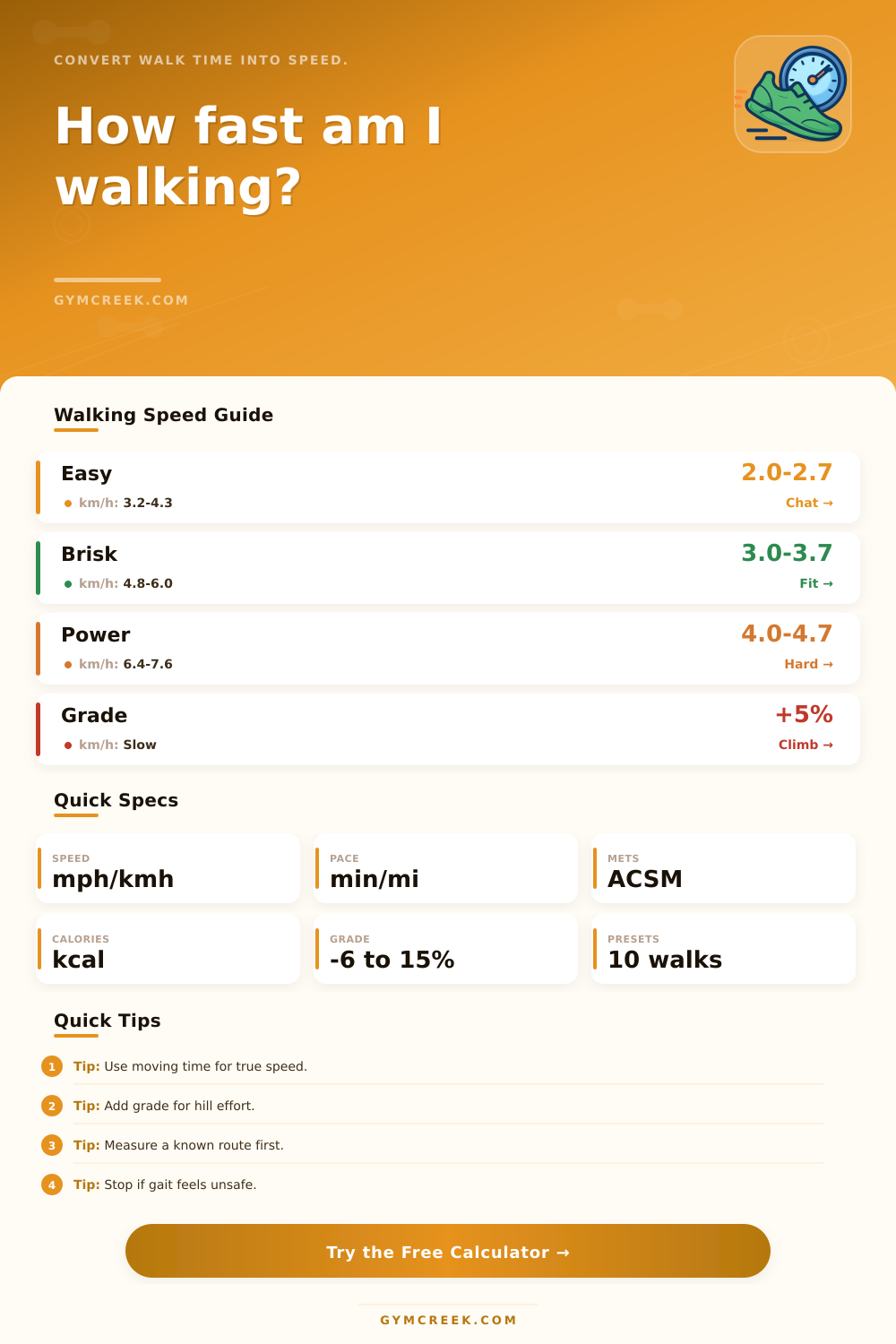
Walking Speed Calculator
Estimate walking speed, pace, MET intensity, calorie cost, stride rhythm, and hill-adjusted effort from distance, elapsed time, grade, body size, terrain, and carried load.
📌Walking Presets
Presets fill complete walking scenarios. Change any value to match a measured outdoor route, treadmill session, walking test, commute, hike, or loaded walk.
⚙Speed Inputs
Walking speed snapshot
Enter distance, time, body size, grade, terrain, and load to calculate speed and effort.
📊Walking Metrics Grid
📑Reference Tables
| Band | Speed | Pace | Typical Use |
|---|---|---|---|
| Easy stroll | 2.0 to 2.7 mph | 22:13 to 30:00 per mile | Recovery, errands, conversation pace |
| Moderate walk | 2.8 to 3.2 mph | 18:45 to 21:26 per mile | General health walking |
| Brisk walk | 3.3 to 3.9 mph | 15:23 to 18:11 per mile | Fitness walking and daily steps |
| Power walk | 4.0 mph and faster | 15:00 per mile or faster | Higher intensity walking workouts |
| Condition | Effort Effect | Speed Effect | Calculator Treatment |
|---|---|---|---|
| Flat track or paved path | Lowest extra cost | Best repeatability | Baseline walking economy |
| Stop-and-go sidewalk | Small extra cost | Usually slower | Adds a terrain factor |
| 5% uphill grade | Large aerobic cost | Often 10% to 20% slower | Uses ACSM grade term |
| Technical trail or sand | Higher stabilizing cost | Highly variable | Adds terrain and caution factors |
| Scenario | Typical Speed | Effort Cue | Watch Point |
|---|---|---|---|
| Recovery stroll | 2.0 to 2.5 mph | Very easy talk test | Keep gait relaxed |
| Commute walk | 2.7 to 3.4 mph | Purposeful but controlled | Signals, stairs, and bags |
| Fitness walk | 3.2 to 4.0 mph | Breathing deeper but steady | Do not overstride |
| Loaded ruck | 2.5 to 3.8 mph | Leg and trunk demand | Footwear, load, and grade |
| Output | Formula | Inputs Used | Best Use |
|---|---|---|---|
| Speed | Distance divided by time | Route distance and moving time | Route comparison |
| Pace | Time divided by distance | Elapsed time and distance | Training targets |
| VO2 and METs | ACSM walking equation | Speed in m/min and grade | Effort estimate |
| Calories | MET x 3.5 x kg x hours | METs, weight, time, terrain, load | Session energy context |
💡Walking Speed Tips
How fast do you walk? It sounds easy enough, until you’re asked to quantify it. How many minutes does it take to get from point A to B? That’s never actualy how long your coach or fitness app thinks it should of taken. Why? Because everything counts (or doesn’t). Do you count total elapsed time or just moving time? Is the route flat and paved or filled with a loaded climb? Are you averaging your real-world pace to some textbook average? Every decision affect the final answer in a greater way then most assume.
But what do these options mean in terms of numbers? That’s where the calculator come in (above). Plug in the distance and the exact number of minutes it took to travel. It then give you speed in both kilometers per hour and miles per hour. It even gives you pace per kilometer or mile. Both tell you something more than just a watch on your wrist could tell.
How the Walking Calculator Helps You
Is pace showing you’re maintaining an even cadence or slipping off track? Is speed indicating that the course is becoming progressively harder or easier? Add your body weight and get an estimate of calories spent based off the MET formula, which factors how many calories your body burn through oxygen consumption. Modify that with terrain and grade variables and it means that a five-percent incline doesn’t get scored as a flat neighborhood loop, nor will a sandy trail be counted like one.
Stride is a rhythm often ignored until your knees or hips protest. Based on your fitness, gender, and height, the calculator will estimate your step rate, and display what happens to it at various speeds. Longer steps don’t necessarily equals faster walking. In some cases, cadence climbs first. That’s easier on the joints, without requiring a awkward overstride.
Weight also matter. Carrying 10% of your bodyweight adds significantly to the effort. Far too many commuter assume their backpack weighs no more than a pair of outstretched hands. Wrong.
The calculator will compare with a benchmark that changes based off your fitness level and what you’re using the app to measure. Your goal as a new walker is different than the goal of a hiker training for heavy march. The caution score is a combination of load, age, grade and speed in one number that flags when you’ve drifted out of your chosen zone. When the number increase, the practical advice is generally to ease off by reducing your load or grade, and then increasing your time or distance.
The routes in the real world are seldom as clean as those we feed into the calculator. Traffic lights, conversations, and pauses for re-direction add to total time. Using only moving time gives you an accurate speed. Treadmill sessions work the same way. Belt speed shows 3.5 miles per hour, but add an incline, and it’s another story. Grab the rails and it’s different again. That’s where the grade input comes into play, allowing you to account for that change rather than assuming that each minute on the treadmill is equal.
No formulas to memorize, and the reference tables on the page adds context. The speed bands match up to normal-sounding words (recovery, brisk) in the reference tables. The grade/terrain table tell you about how grades or terrains normally affect effort levels. And then there’s a common-scenario table that lets you see whether your measured pace sits inside or outside the usual range for that kind of walk.
It’s more important to get an idea of whether yours is typical for the type of walk you’re doing than it is to focus on some absolute numbers. Again, it’s not about chasing the perfect speed, but rather knowing exactly what those numbers are and being able to make adjustments intentionally when walking the next day. Maybe slowing down on an overloaded hill will do more good then trying to push the same minute-per-mile pace you achieved on flat terrain. The calculator just takes out the guessing game of that equation.