Treadmill Workout Calculator
Plan interval blocks from warm-up through cool-down, then estimate work/rest ratio, distance, calories, METs, incline demand, and session load.
📌Treadmill presets
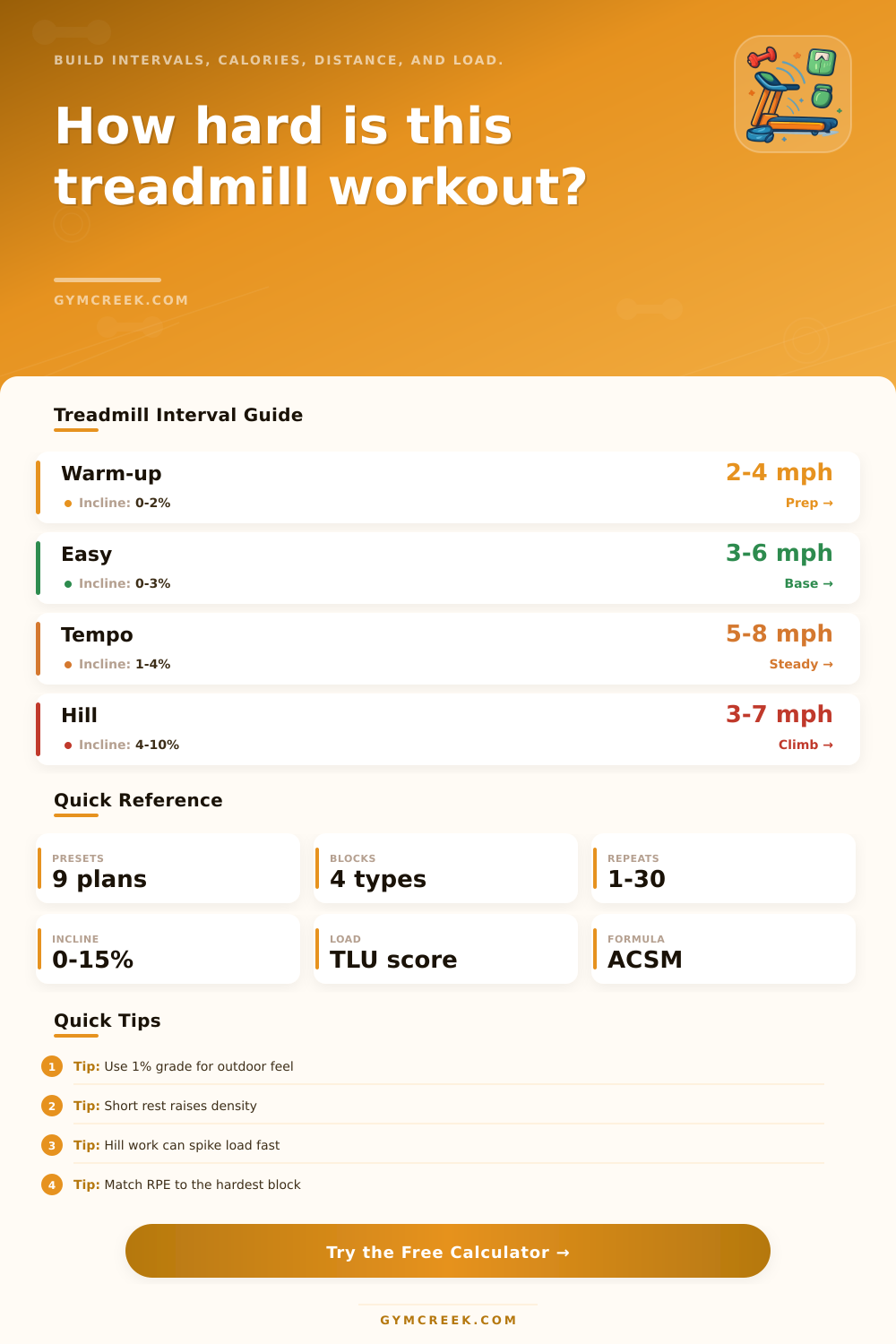
Each preset changes the athlete profile, warm-up, interval block, recovery block, and cool-down so the calculator works like a session builder, not just a pace converter.
⚙Athlete and interval blocks
Treadmill workout snapshot
Adjust interval blocks and calculate the full session.
📊Workout metrics
📑Reference tables
| Speed zone | Typical speed | Incline | Common use |
|---|---|---|---|
| Easy walk | 2.5-3.5 mph | 0-4% | Warm-up, recovery, low impact |
| Power walk | 3.5-4.5 mph | 2-10% | Hill conditioning without running |
| Easy run | 5.0-6.5 mph | 0-2% | Aerobic base and long sessions |
| Tempo run | 6.5-8.5 mph | 1-4% | Controlled hard endurance |
| Speed work | 8.5+ mph | 0-3% | Short intervals and mechanics |
| Ratio | Density | Best fit | Watch point |
|---|---|---|---|
| 1:3 | Low | Beginner speed work | Rest stays easy |
| 1:2 | Moderate | VO2 or hill repeats | Keep form crisp |
| 1:1 | High | Tempo intervals | Fatigue builds fast |
| 2:1 | Very high | Threshold blocks | Use sparingly |
| Continuous | Steady | Aerobic or tempo | No recovery reset |
| Formula item | Source logic | Variable | Calculator use |
|---|---|---|---|
| Walking VO2 | ACSM treadmill | Speed, grade | Under 5 mph blocks |
| Running VO2 | ACSM treadmill | Speed, grade | 5 mph and faster blocks |
| Calories | VO2 x kg / 200 | Body mass | Per block kcal |
| METs | VO2 / 3.5 | Oxygen cost | Average effort |
| Load | MET-min + RPE | Density, grade | Session planning |
| Load band | TLU score | Session feel | Next-day idea |
|---|---|---|---|
| Light | Under 45 | Easy maintenance | Normal training |
| Moderate | 45-75 | Useful workout | Easy or steady |
| Hard | 75-110 | Key session | Recover or low load |
| Very hard | 110-145 | Deep effort | Recovery focus |
| Extreme | 145+ | Race-like stress | Avoid stacking hard work |
💡Tips
A treadmill calculator is a tool that will help you understand the intensities of your next treadmill session. A treadmill session can be difficult to measure as there are various factors that can alter the difficulty of the treadmill session. For instance, one individual may find a particular treadmill session to be easy, but another individual may find the same session to be difficult due to the differences in their intensity and density levels for those particular sessions.
A treadmill calculator is a helpful tool that can calculates the intensity of your session based on your speed, incline, and block length. To operate the calculator and determine your sessions load, several inputs is required from the individual who will be utilizing the treadmill. You must enter your body weight into the calculator as the heavier your body weight, the more calories you will burning during your session.
How to Use a Treadmill Calculator
Your age is another required input as your age will impact your heart rate and recovery time following your session. Your activity level is another input that determines the stress that your session will place upon your body. Finally, you must chose your workout purpose as a session that you perform for recovery will contain a different load than one that you perform to increase your strength.
The intervals that you use for your session will impact the density of your session. The length of each work and rest interval and the number of repeats will determine the density of your session. If your rest interval are short, your density will be high as your body will not have time to fully recover between sessions.
Sessions with long intervals at more moderate speeds may have different results than sessions with short intervals at high speeds. The calculator can perform the math necessary to determine these variables for you. Another of the variables that will impact the load for your session is the incline that you use for your session.
If you incline your treadmill while performing a session, this will increase the load for that session. This is due to the increased cost of oxygen that the body requires during those inclines. This compound effect will continue to build with each interval that you perform.
The calculator also incorporates an efficiency setting as individuals that can easily and smoothly perform intervals on the treadmill will burn different amounts of energy than those that must strain their leg to perform each interval. These variables allow the calculator to more accurately determine the load that you will experience during your session. The treadmill calculator will provide several outputs that will assist you in planning your treadmill training.
One of the main output variables will be a load measure for your session that incorporates MET-minutes, RPE, and density variables. Another important output variable will be the estimated calories that will be burned during your session, calculated on a block-by-block basis. The calculator performs another calculation: Distance.
Finally, the work-to-rest ratio will provide you with information about the nature of your session and whether or not it is continuous or broken into pieces of work and rest. Sessions that are continuous may be more appropriate for performing at certain times of the week as compared to sessions that are broken into work and rest periods. High-density sessions that contain short periods of rest will cause the body to experience more fatigue than sessions with long periods of rest.
Low-density sessions can be used to perform high volumes of runners but may not provide the same performance as high-density sessions. These reference tables can assist you in understanding where your planned treadmill session will sit within the context of other sessions and speed zones that you may perform. A treadmill calculator does not measure all of the variables that may impact an individual during their workout session.
For instance, the calculator does not measure sleep variables, nutrition variables, or the amount of work performed the previous day. These variables will impact how your body feels after each session. Some individuals will be able to perform high-density sessions and recover rapidly from those sessions while others may become fatigued more quickly.
The RPE variables will ask you to rate how each session feels for your body which allows the calculator to reflect your bodys true experience with that session. Many individuals make mistake when utilizing the calculator or setting up their treadmill session. One mistake is to treat each of their treadmill sessions as if they are the same.
Another mistake is to perform too many sessions of high density or high inclines without becoming aware of the effect of these sessions. The treadmill calculator will make this mistake more difficult to make due to the performance of calculations that reflect the effect of these variables on the body. It is recommended that you utilize the calculator to calculate your session variables before you begin to run your session.
By setting your blocks, purpose, and efficiency variables you can ensure that your session load is within the parameters that you desire. If your session load is not within the range that you would like, adjust only one variable at a time. You can change the length of the rest periods, the incline of the treadmill, or the number of repeats that you will perform.
By utilizing this calculator regularly you will be able to better understand your bodys capabilities and the effect that each variable will have upon your running performance. While the treadmill will provide you with control of your speed and incline, the calculator will tell you the density of your session. By using the treadmill calculator you can ensure that the session that you plan to perform is the same than the session that you perform on the treadmill.