SWOLF Score Calculator
Calculate swim efficiency from lap distance, pool length, swim time, stroke count, stroke type, experience level, target pace, fatigue, and effort.
📌Named Swim Presets
Each preset loads a realistic swim length, time, stroke count, pool setup, fatigue state, and target pace so you can compare efficiency patterns.
⚙SWOLF Inputs
Swim efficiency snapshot
Enter your split, stroke count, pool length, target, and fatigue to calculate SWOLF.
📊Swim Metrics Grid
📑SWOLF Reference Tables
| Measure | Raw Value | Per Length | Use |
|---|---|---|---|
| SWOLF | --- | --- | --- |
| Pool Length | Novice | Fitness | Competitive |
|---|---|---|---|
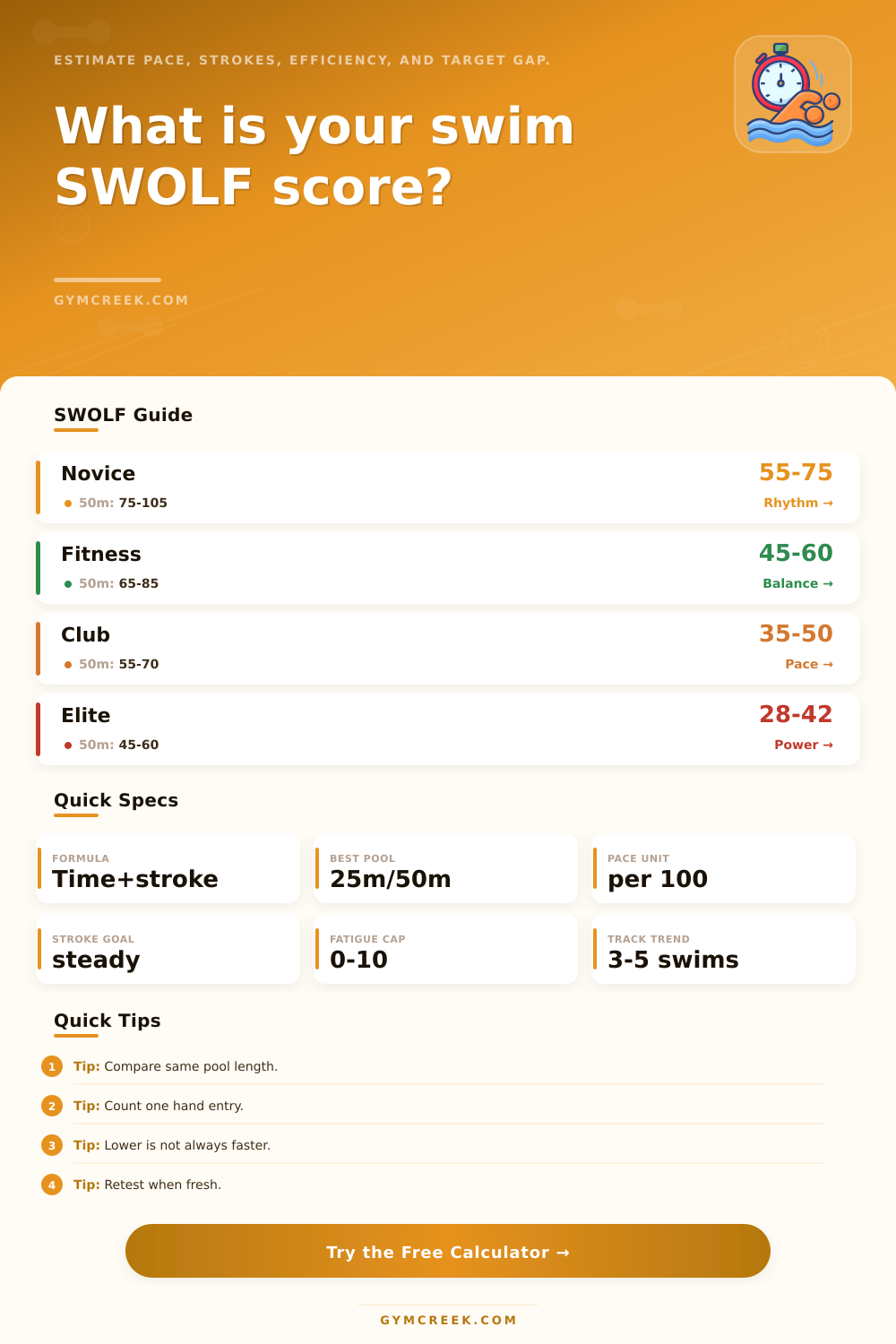
| 25 meters or yards | 55-75 | 45-60 | 32-48 |
| 33.33 meters or yards | 62-86 | 52-70 | 40-58 |
| 50 meters or yards | 75-105 | 65-85 | 48-68 |
| Open water simulation | Compare trend | Use same route | Watch stroke rate |
| Stroke | SWOLF Note | Stroke Count Cue | Common Fix |
|---|---|---|---|
| Freestyle | Best for trend tracking | Count one hand entry | Lengthen catch without gliding |
| Backstroke | Often slightly higher | Count one hand entry | Hold hip rotation and tempo |
| Breaststroke | Usually lower stroke count | Count full cycles | Reduce pause after glide |
| Butterfly | Fatigue changes it fast | Count full cycles | Protect rhythm before power |
| Pattern | Meaning | Likely Cause | Next Check |
|---|---|---|---|
| Lower SWOLF | --- | --- | --- |
💡SWOLF Tips
Efficient swimming seems obvious until you measure it. You think you’re swimming smoothly and in control at the end of a set, only to see that you were slow compared to last week on your watch. Or you feel like you’re working hard but counted fewer stroke. Most swimmers gets hung up in the gap between their bodies telling them one thing and the numbers telling them something else.
That’s where SWOLF aims to bridge the gap. It’s a combination of your number of strokes and time into one score. The concept is straightforward, generally a lower number means the swim was more efficient.
What SWOLF Means for Swimmers
Of course, it only makes sense if you understand how far you swam (the pool length), what stroke you performed, and how fatigued you were during the swim. A 40 in a 50-meter pool isn’t the same as a 40 in a 25-meter pool. If that person had just completed several sets, their score might of been pushed up by fatigue compared to if they’d been fresh off the blocks.
This explains why it is important to know your inputs better than most people do. Scale is the length of the pool. Stroke type: The baseline shifts between breaststroke and freestyle. Butterfly has a different stroke count then both. Experience level shows what is average and what is good for where you are at. Effort and fatigue adjust the raw number so you do not confuse a tired swimmer with someone who has bad technique. Target pace: Tells you if you’re sacrificing stroke economy for speed, or balancing both.
Plug all of that into the calculator above and it does the math for you. Then you have your raw SWOLF. You also get a version adjusted for stroke rate, distance per stroke, pace per hundred, and fatigue. So there is no replacement for feel with these numbers. Rather they provide you with an apples to apples comparison on sessions that are difficult to align otherwise.
But most swimmers will make one (or both) of two mistakes when first following this number. One is to go for the smallest number they can get, not realizing their pace dropped. Or they’ll look at numbers from entirely different strokes in entirely different pool. Either way it makes a useful signal into nothing but noise.
On the page, I provide a reference table showing realistic ranges based off pool length and experience. This helps you know what range to expect rather than having to guess. In multiple swims it becomes apparent that your stroke count doesn’t change as you increase your pace, and it didn’t climb despite feeling like you were swimming better. Or maybe it did climb, but you felt like you were swimming better? The rhythm of that say far more about training effect than any individual number.
You’ll always own those aspects of swimming: the feel of the water on any given day; the way you change your stroke when you’re in a shared lane. These are the ones you don’t need a calculator for. The ones where you can let numbers take out some of the guesswork. In the long run, you see patterns emerge more clearly than during any one swim session. This clarity allows you to swim with intent rather than just hoping things is improving.