Running Intensity Calculator
Blend pace, heart rate, RPE, race pace, terrain, duration, zones, and training goal into a practical run intensity target.
📌Presets
Each preset loads a real running scenario and recalculates with the selected unit system, terrain, zone method, and goal.
⚙Calculator
Running intensity snapshot
Enter your run details and calculate a matched pace, HR zone, and load.
📊Metrics Grid
📑Reference Tables
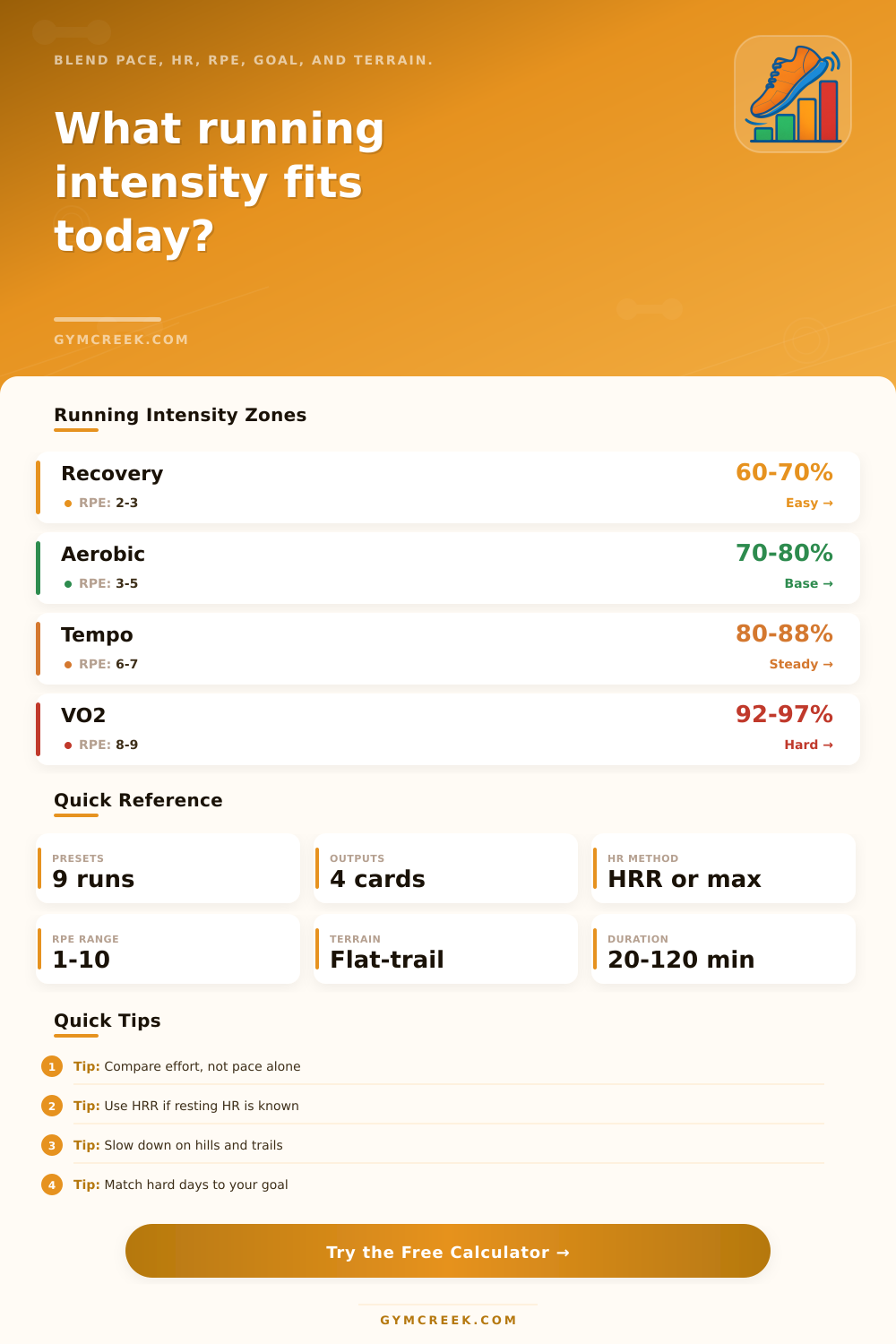
| Zone | HRR / Max HR | RPE | Typical Use |
|---|---|---|---|
| Zone 1 | 60-70% | 2-3 | Recovery jogs and warmups |
| Zone 2 | 70-80% | 3-5 | Aerobic base and easy mileage |
| Zone 3 | 80-87% | 5-6 | Steady long runs and marathon pace |
| Zone 4 | 87-92% | 7-8 | Tempo and threshold work |
| Zone 5 | 92-97% | 8-10 | Short interval sessions |
| Goal | Target IF | Pace Feel | Best Check |
|---|---|---|---|
| Recovery | 0.60-0.68 | Very relaxed | Conversation |
| Easy aerobic | 0.68-0.76 | Comfortable | Low drift |
| Long run | 0.72-0.80 | Controlled | Stable HR |
| Marathon pace | 0.80-0.86 | Purposeful | Even splits |
| Tempo | 0.84-0.90 | Strong | No sprinting |
| Threshold | 0.88-0.93 | Hard steady | Repeatable |
| VO2 interval | 0.94-1.02 | Very hard | Short reps |
| Terrain | Adjustment | What It Means | Watch |
|---|---|---|---|
| Flat road | 0% | Pace reflects effort closely | Cadence and rhythm |
| Rolling road | +3% | Small pace penalty is normal | Downhill surges |
| Hilly road | +8% | Effort beats exact pace | Uphill HR spikes |
| Packed trail | +12% | Surface slows the same effort | Footing and turns |
| Soft trail or sand | +18% | Use HR and RPE first | Calf fatigue |
| Input | Formula Role | Useful Range | Quality Check |
|---|---|---|---|
| Race pace | Sets pace baseline | Recent PR | Not a dream pace |
| Average HR | Checks strain | 60-97% max | Use steady data |
| RPE | Balances sensors | 1-10 scale | Rate whole run |
| Duration | Builds load | 20-120 min | Include warmup |
| Terrain | Slows target pace | 0-18% adj | Choose honest surface |
💡Tips
Running intensity is a measurement of how hard a person works while they are running. Running intensity is a difficult concept to determine due to the various factor that can impact the difficulty of an individual’s run. For instance, the weather on the days that an individual plans to run may change, or the legs of that individual may feel different than they did during previous runs.
These changing factors can make it impossible for the intensity to match both the needs of the body and the training plan for that individual. If not matched appropriately, an individual’s heart rate may be too high for the supposed “easy” run, or the individual may feel too tired after their run to participate in another exercise during that day. Running intensity can be measured in a variety of ways; the three main ways are in the pace at which an individual runs, the heart rate of that individual, and the Rate of Perceived Exertion (RPE) of the runner.
How to Use the Running Intensity Calculator
These three measurement are not consistent, however. The calculator in this article is designed to calculate the intensity of running in a single score, as well as to calculate the target pace for the distance that is to be run. To utilize the calculator, an individual must enter the distance to be ran, the individual’s recent pace for a race, their expected heart rate, and the terrain for which they are planning to run.
The calculator will take each of these variable and create a score for the intensity for that individual. Additionally, the calculator will account for the terrain for the target pace for that distance; flats are not as same as trails, for instance. The calculator will automatically account for terrain if the individual selects one of the terrain option for that calculation.
Heart rate is another way to calculate the intensity of an individual’s running. Heart rate can be beneficial in that two individuals who run at the same pace may have different heart rates due to factors like body heat, fatigue, and recovery of those individuals. The calculator allows for an individual to select between using the heart rate reserve and maximum heart rate method for calculating intensity.
If an individual knows their resting heart rate, the heart rate reserve method will determine their running intensity. If they are unaware of their resting heart rate, they can use the maximum heart rate method, though more guesswork will be required for this determination. Rate of Perceived Exertion is another method for determining the intensity of an individual’s running; it is a means of measuring the physical sensation that an individual feels while they are running.
This rate will be accounted for in the intensity score that the calculator presents for an individual’s calculated running. An individual should not ignore this rate when setting their running speed, even if their pace is appropriate. The calculator prevents this potential error by including the rate of perceived exertion in the calculation of intensity.
If all three measurements (pace, heart rate, RPE) provide the same measurement for the intensity of an individual’s run, then the calculator’s suggested intensity is likely to be that of the individual’s intended running intensity. Should the three measurements indicate different intensities, however, the calculator will provide the individual with the data that can help them to make a decision about which is the most important measurement for their body on that particular day. Terrain, heat, and distance all have the potential to impact the intensity of an individual’s run.
For instance, a road that includes rolling hills may not seem overly difficult to those individuals while they are running; over time, though, the body may begin to tire from the extra exertion of those hills. Additionally, body heat and wind may not impact the fitness of an individual, but they can impact the distance and pace at which they can run at a given intensity. These factors are incorporated into the distance calculation so that an individual does not have to utilize mental calculations to adjust for these factors during their run.
The tables that are provided to the individual that calculates their running intensity help to illustrate the different zones for which running intensities can fall. One of the main zones for which the majority of individuals should run is Zone 2; many, however, may choose to run at a more higher rate. These tables illustrate the relationship between marathon pace, aerobic exercise, and tempo exercise.
These tables will help an individual to understand the reason for certain types of running exercises that may be suggested of an individual as part of their training plan. An individual can use the calculator to determine if their planned run is appropriate for their body. By entering the distance, pace, heart rate, and terrain that they plan to run at, the calculator will indicate whether or not that run is appropriate for that individual’s body.
If the target pace is much slower than that which they planned to run at, it is possible that their body is experiencing fatigue or heat; they can use this information to adjust their planned run. An individual who is building a training block for a specific goal can utilize this calculator to determine the impact that the intensity of their run can have upon their body. An individual who is training for a marathon will receive suggestions from the calculator that are different than those who are training for a 5K race, for instance.
These suggestions are based upon the different physiology of those two distances. Many individuals make mistake in determining their running intensities. Some of these mistakes may include ignoring their body heat and ignoring their rate of perceived exertion, focusing only upon their last race’s pace and intensity, and ignoring their body fatigue.
The calculator will acknowledge these errors, though; it will make the trade-offs for each calculation visible to the individual. Thus, it allows them to make a decision about their running. An individual can use this calculator to understand their body over time.
For instance, they may notice that some routes exhibit higher heart rates than others; they may find that their body tires more quickly on certain days than others. These observations can be crucial to an individual’s training plan. The calculator makes it easier to recognize these differences in heart rate, fatigue, and ability by removing the need to perform calculations to determine those factor.
The goal of the calculator is to prevent an individual from either training in a system that will not develop their running potential or from becoming too tired for additional workouts that are essential for those individuals’ goal. Thus, each individual’s body, their pace, their heart rate, and their rate of perceived exertion can be used to determine the success of each running planned within the individual’s training plan.