Push Pull Leg Volume Calculator
Estimate weekly hard sets for a push pull legs split, compare current volume against recovery-adjusted targets, and translate the weekly plan into per-session set ranges for chest, back, legs, shoulders, arms, and posterior chain work.
📌Presets
Presets fill a complete training profile. Each one still needs your honest current set counts and recovery score before you lock in a block.
⚙Calculator Inputs
PPL volume snapshot
Enter your split frequency, current sets, and recovery score to calculate weekly push, pull, and leg targets.
📊Fitness Metrics Grid
Push muscles
Pull muscles
Leg muscles
📑Reference Tables
| Training Level | Muscle Range | PPL Weekly Total | Best Use |
|---|---|---|---|
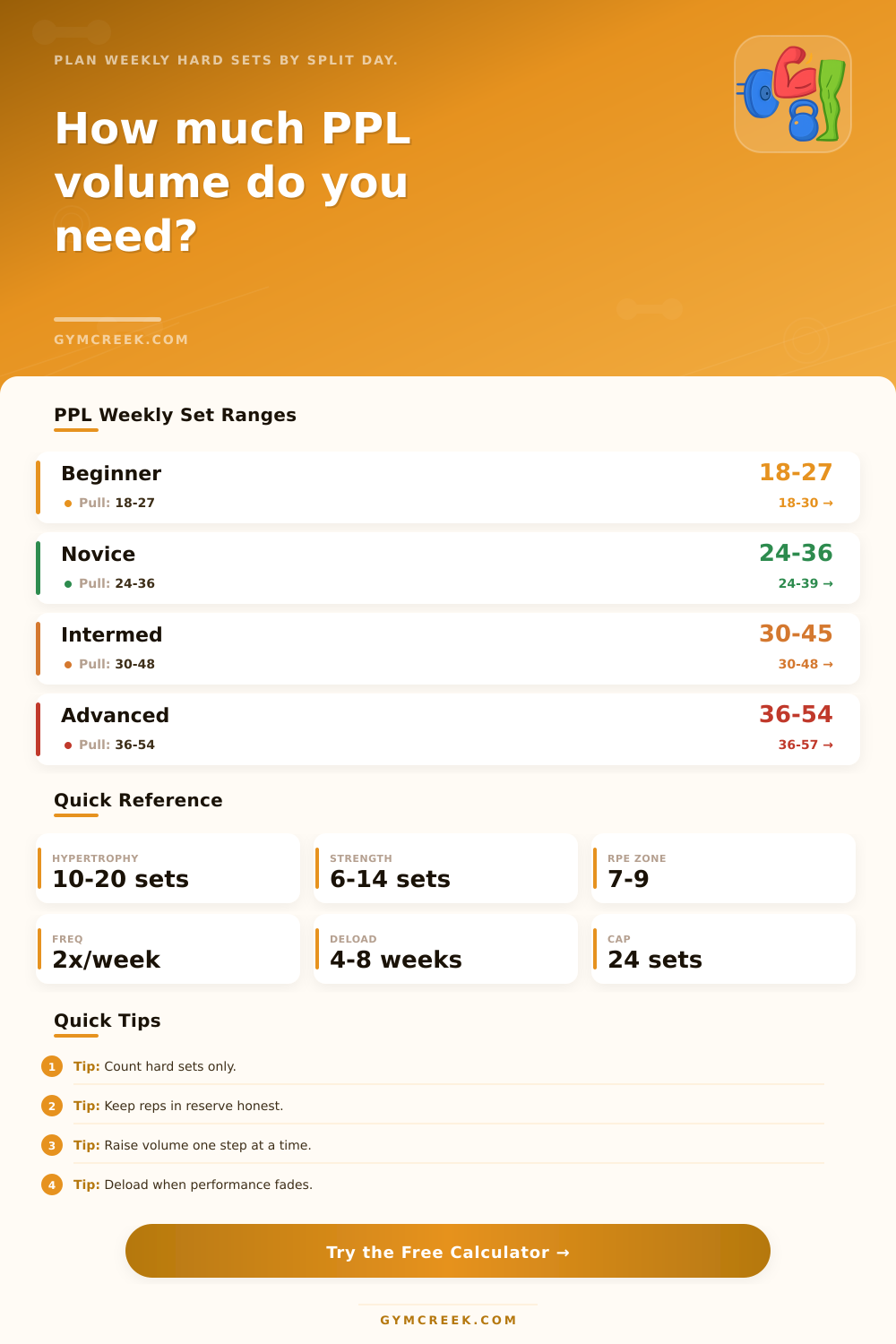
| Beginner | 6-10 sets | 18-30 sets | Skill and consistency |
| Novice | 8-12 sets | 24-39 sets | Linear progress |
| Intermediate | 10-16 sets | 30-48 sets | Hypertrophy blocks |
| Advanced | 12-19 sets | 36-57 sets | Specialized phases |
| Goal | Volume Bias | Intensity Bias | Set Note |
|---|---|---|---|
| Hypertrophy | Moderate-high | RPE 7-9 | Add sets slowly |
| Strength | Moderate | RPE 7.5-9 | Fewer junk sets |
| Cutting | Lower | RPE 7-8.5 | Maintain quality |
| Maintenance | Low-moderate | RPE 6.5-8 | Hold performance |
| Schedule | Push | Pull | Legs |
|---|---|---|---|
| 3 days | 1 session | 1 session | 1 session |
| 4 days | 2 sessions | 1 session | 1 session |
| 5 days | 2 sessions | 2 sessions | 1 session |
| 6 days | 2 sessions | 2 sessions | 2 sessions |
| Formula Item | How It Works | Why It Matters | Output |
|---|---|---|---|
| Hard sets | Sets near failure | Main volume unit | Weekly target |
| RPE modifier | Higher RPE lowers cap | Fatigue control | Set adjustment |
| Recovery score | 1-10 readiness | Capacity estimate | Volume range |
| Mifflin BMR | Weight, height, age | Context only | Energy note |
💡Tips
How’s that? The push pull leg split allows you to hit muscle groups frequent (often being enough to make progress) while also providing them with a clean recovery window in between. That’s what makes the split stick around, and that’s really the issue most lifter have: How much actual work should of been done on any given day? Do too little and you’ll spin your wheels. Do too much and you drag fatigue from workout-to-workout without knowing why your numbers stall.
Basically, after plugging in how often you’re training each week, your current sets, your goal, your “recovery score,” and your training level, the calculator above do all the math for you. From there, it spits out a suggested per-session amount based off your schedule and a total per-week target range for legs, push, and pull.
How to Use the Calculator for Better Results
Most of us don’t realize how important the recovery score is, it’s not just a feeling. Rather, it combines your motivation, appetite, soreness patterns, and sleep quality into one number. This number tell the tool how much volume your body can actualy handle right now. Because a newbie doesn’t have the same response as an advanced lifter to a given amount of work, this is set by the training level.
This then moves the range based on what you’re trying to accomplish. For example, someone on a pure strength phase will likely require fewer hard sets different than someone in a hypertrophy block. Then we fold in the phase you’re in; i.e. A cutting phase sits somewhere in the middle to protect performance without adding unnecessary fatigue. A cutting phase is going to be somewhere in between here but protective of performance rather than adding undue fatigue.
This information gets folded into the calculator along with your current data. This lets you see if you’re on target, or if it’s time to add some more sets or drop a few off before the start of next block.
It has been weeks since a deload. This one catches many off guard, but the longer you wait between backing off, the farther down the tool push your targets. It’s not because it wants to keep you from improving; it’s because when fatigue builds up, it no longer helps, it only hides what is possible. For most lifters, this first shows up as a nagging loss of motivation or stalled reps before they even feel overtly sore. The output flags it early for you, allowing you to plan your deload instead of getting caught in one because of a sudden dip in results.
The calculator’s breakdown of muscle groups throughout the week will give you more than just peace of mind that no single bodypart is being shortchanged; it will show you how your volume is distributed across each area as well (chests, shoulders, triceps, back, rear delts, biceps, quads, hamstrings, calves). So if you’ve been doing a lot of bench variations lately, but not much in the way of lateral raises, the breakdown reveals that fact, letting you choose to add a few sets here and there instead of guessing about it or even swapping out an exercise entirely.
On the page, it’s broken down into reference tables that let you double-check your answer against what you and others think is right. They’re not rules. They’re guard rails to prevent the calculator spitting back a number far outside the norm of common practice. It provides an output with a status label, too.
If it says you’re over target, that doesn’t necessarily indicate you should reduces volume tomorrow. It indicates that the difference between your actuals and the model’s estimate of what could be recovered is high enough to warrant close attention to performance. In some cases the solution is just reducing average RPE across a given week, but in others it’s removing a set of something you’ve already got well-covered. Your logs and morning-after feelings provide feedback on if the tweak was successful; the tool provides starting point.
But the secret lies in knowing what it’s really measuring. The calculator applies to hard sets just shy of failure, which generate the training signal. Rehab drills, easy pump work, and warm-up sets don’t count the same. If you add those in, your weekly total will inflate. Then your targets won’t reflect reality anymore.
Ultimately, it’s up to you what to do with the number that comes out. You can treat it as a hard target and adjust to match (every four weeks), or you can let it serve as a loose ceiling for yourself and concentrate more on how each workout feel. As long as you remain consistent in your calculation of sets and your periodic check of recovery, either will work just fine, since the calculator just takes away the guessing-the-math-in-your-head component.