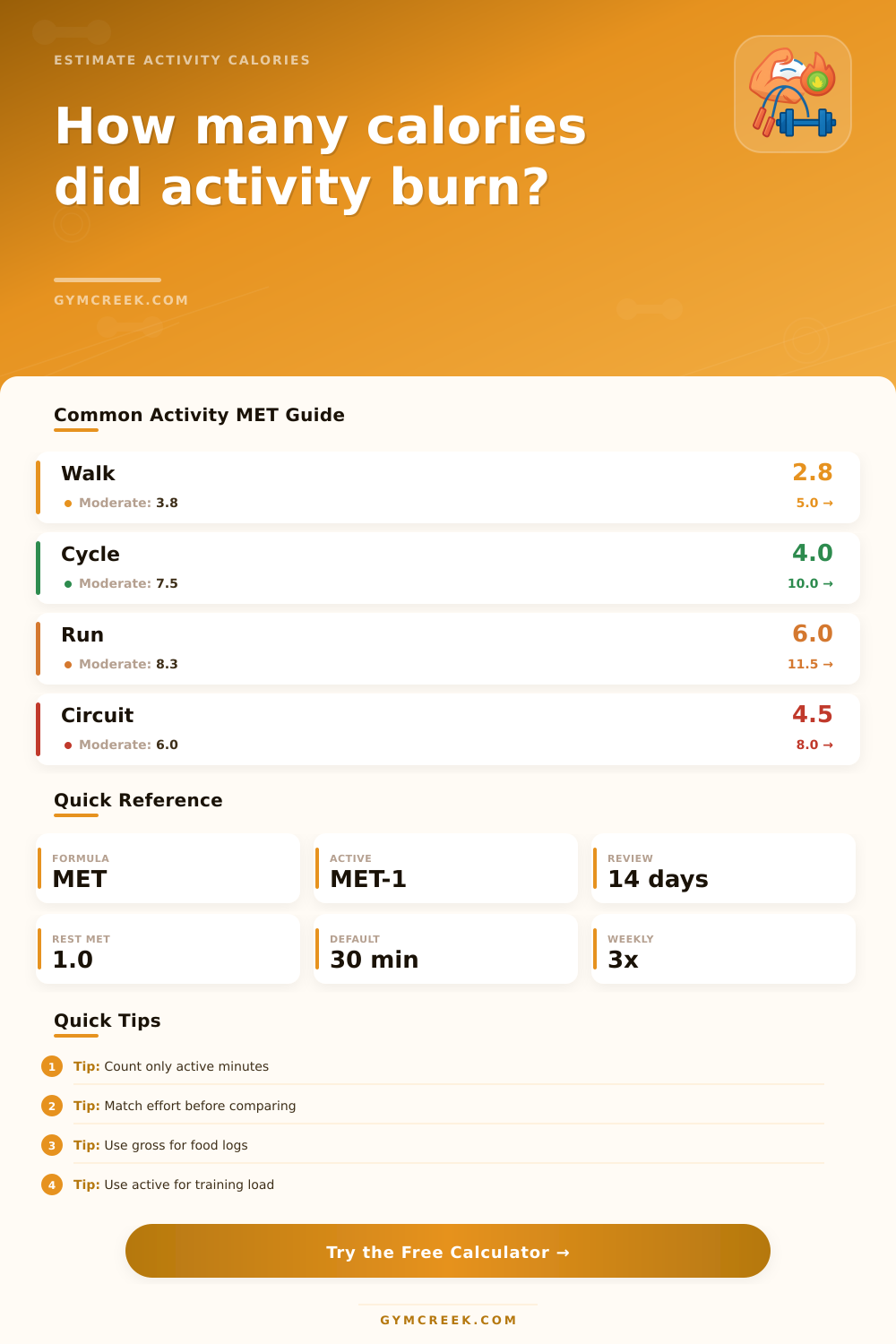
Physical Activity Calories Burned Calculator
Estimate calories burned from walking, running, cycling, lifting, swimming, circuits, sports, and everyday physical activity using MET math, body size, duration, effort, terrain, and weekly frequency.
📌Activity Presets
Presets load realistic activity sessions. Adjust the activity type, duration, effort, load, and rest fields to match your actual workout or daily movement.
⚙Calculator Inputs
Activity calorie estimate
Enter your activity details to estimate calories burned.
📊Fitness Metrics Grid
📑Reference Tables
| Activity category | Typical MET | Best match | Adjustment to check |
|---|---|---|---|
| Mobility, yoga, easy movement | 2.0-3.0 | Low-intensity sessions | Effort and rest time |
| Walking and household activity | 3.0-4.5 | Daily movement or chores | Surface and duration |
| Fitness machines and hiking | 5.0-7.5 | Steady cardio sessions | Resistance and terrain |
| Running, sports, circuits | 7.0-10.0 | Vigorous training | Effort and breaks |
| Hard intervals or racing | 10.0 plus | Short intense work | Recovery minutes |
| Adjusted MET | Intensity label | Breathing cue | Common use |
|---|---|---|---|
| Under 3 | Light | Easy conversation | Recovery or warmup |
| 3-5.9 | Moderate | Warm but controlled | Health movement |
| 6-8.9 | Vigorous | Short phrases | Cardio training |
| 9-11.9 | Hard | Broken speech | Performance work |
| 12 plus | Very hard | Unsustainable long | Intervals only |
| Scenario | Duration | Expected MET | Tracking note |
|---|---|---|---|
| Lunch walk | 15-30 min | 3.0-4.5 | Use active minutes |
| Gym cardio | 20-45 min | 5.0-8.5 | Match resistance |
| Strength session | 30-75 min | 3.0-6.0 | Separate rest time |
| Team sport | 30-90 min | 6.0-10.0 | Average stop-start play |
| Yard work | 30-180 min | 3.5-6.5 | Load and heat matter |
| Formula | What it estimates | Inputs | When to use |
|---|---|---|---|
| Gross MET calories | Total energy during activity | MET, kg, minutes | General calorie logs |
| Active calories | Exercise above resting | (MET - 1), kg, minutes | Workout comparison |
| Mifflin-St Jeor | Resting daily burn | Weight, height, age, sex | BMR context |
| Activity multiplier | Total daily needs | BMR and daily activity | Daily context |
| Weekly projection | Repeated session burn | Active kcal, frequency | Routine planning |
💡Tips
Sometimes you see it reflected on the screen of treadmill: You’re convinced you burned four hundred calories when machine actually logged three hundred. Often these machines is giving you more credit because they want you back tomorrow feeling like you accomplished something. That’s why so many people fall short on their fitness or weight goals, because there’s always this disconnect between what we think we’re doing versus how much energy our bodies really expend.
The best way to know is by using a calculator that accounts for specific details like terrain and fitness efficiency. That’s where the calorie calculator above can fill in some gaps. It goes beyond generic averages to ask for specific information that alters the calculation, like what you’re carrying and the terrain involved.
How to Count Calories Better
Many of the most basic calculators simply rely on the type of exercise and your weight, which give you a ballpark guess but doesn’t account for your specific circumstances. Going uphill while walking will burn more calories different than walking on level ground, but many devices assume those is equivalent activities. This one factors in the differences to give you a number based off your reality rather than the ideal scenario.
Active and gross calories are confusing for most. Gross calories mean all of the energy that your body consumed over the given time frame (even if you had sat there). Active calories separate out only the additional energy cost from being active. So if you’re looking to eat back all calories so as not to gain or lose weight, look at gross. If you’re looking to see the relative intensity of your activity versus rest days, active calories will give you a better idea. The definitions are slightly different, but this make a big change in how you plan recovery or reward eating.
Also, the tool takes into account the fact that your body becomes increasingly efficient as it gets fitter, something many people miss as novices. Because their stride is efficient (and they waste less energy balancing), a veteran runner burn fewer calories running the exact same speed for the exact same distance as a newcomer. Their body has become a better engine. The calculator lets you account for that economy. Recognizing that your history is every bit as important as your current work ethic. It’s not simply about burning fuel, it’s about driving an engine that will became better with use.
However, keep those numbers in context. On the reference table included with the tool, it break out the intensity level by METS (metabolic equivalent), essentially telling you how much work you’re doing compared to at rest. Adjusted METS less than three indicate you’re in the “light” zone, meaning this is good for recovery and not enough to really get any cardiovascular benefits. To really see fitness gains you want to get in the 6+ range, putting yourself into the “vigorous” category. So if you know what zone you should of been aiming for, now you can determine whether to go longer, heavier, faster, etc.
In most cases, people approach calorie tracking as an accounting-like system of “musts” and “meh’s,” where getting off by 10 calories is reason for anger. Truth: Calorie values aren’t measured. They’re estimated from physiological models. You can view them as a trend line and a direction, rather than an absolute truth. Run ’em through the calculator to learn what your pattern is. Then adjust accordingly with eyes open. Don’t fret about the decimal points, consistency in your interpretation and tracking is far more important than perfect accuracy one day.
Finally, now that you know what your body burns, you can feed it accordingly, no guessing required. If you’re trying to gain endurance or shed some fat, now you can train smart (and not simply hard) because you know exactly how much energy it takes to move around. The framework comes from the calculator; the rest is filled in by your own experience. Tinker with the variables until they reflect what feels right for you, and rely on the trends over individual sessions. That’s when the data becomes meaningful (and results follows).