Net Carb Calculator
Estimate digestible carbs from total carbs, fiber, allulose, sugar alcohol type, servings, diet phase, and training context, then compare the result with your daily net-carb target.
📌Presets
Each preset fills a realistic food label, serving amount, body profile, activity level, daily target, and training load so the net-carb context changes with the scenario.
⚙Calculator
Net carb snapshot
Enter the food-label values to estimate digestible carbs and daily target remaining.
📊Fitness Metrics Comparison
📑Reference Tables
| Step | Formula | Reason | Watch item |
|---|---|---|---|
| Label carbs | Total carbs x servings | Starts from the nutrition label | Serving size |
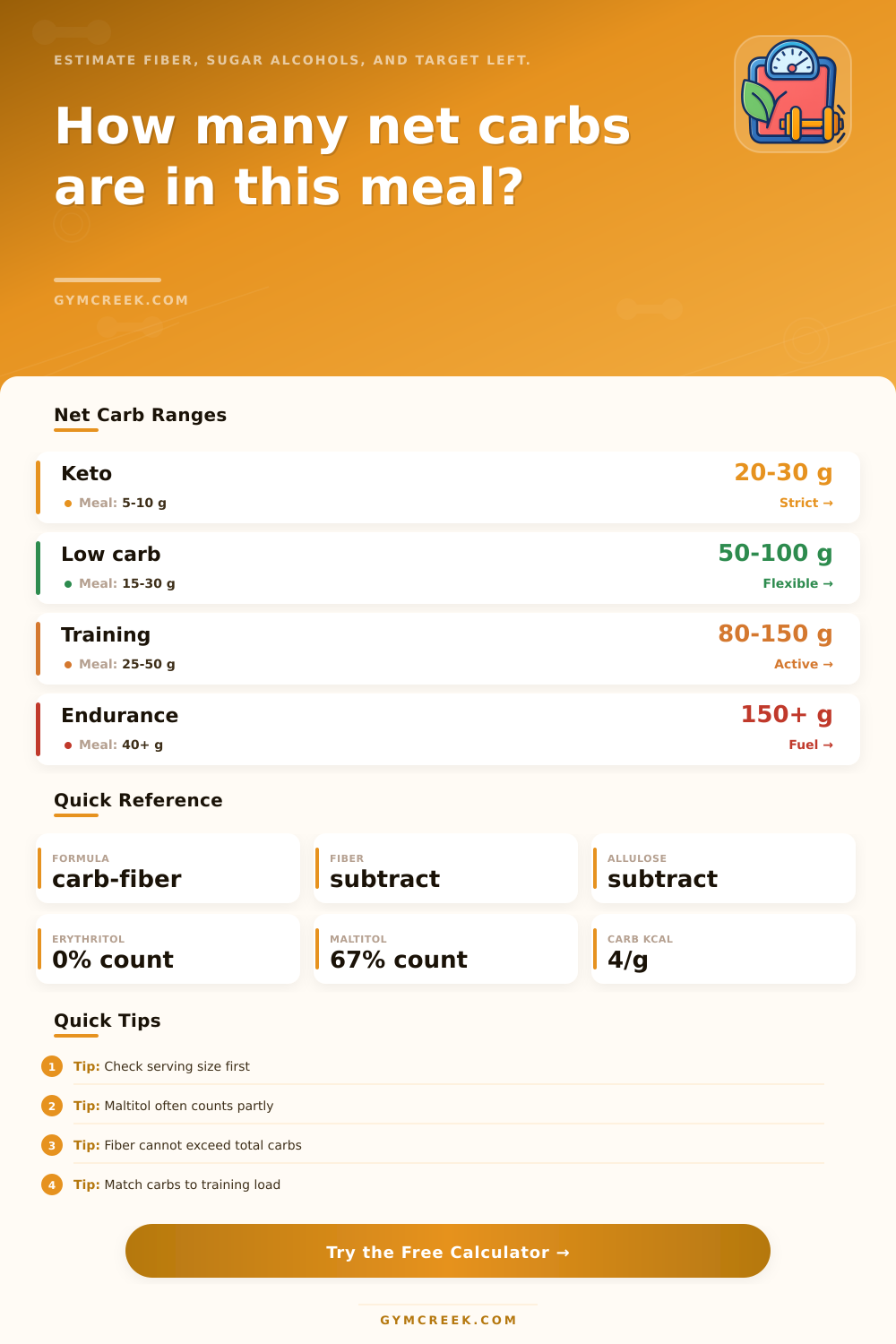
| Fiber credit | Subtract fiber | Most fiber is not digested as glucose | Do not exceed total carbs |
| Allulose credit | Subtract allulose | Low usable energy contribution | Must be listed separately |
| Polyol adjustment | Count a fraction | Some sugar alcohols digest partly | Maltitol and mixed blends |
| Type | Counted fraction | Example | Calculator behavior |
|---|---|---|---|
| Erythritol | 0% | 10 g counts as 0 g | Subtract fully |
| Xylitol / sorbitol | 50% | 10 g counts as 5 g | Half counted |
| Maltitol | 67% | 10 g counts as 6.7 g | Mostly counted |
| Mixed or unknown | 50% | 10 g counts as 5 g | Conservative middle |
| Goal | Typical range | Meal target | Training context |
|---|---|---|---|
| Strict keto | 20 to 30 g/day | 5 to 10 g | Usually rest or light days |
| General low carb | 50 to 100 g/day | 15 to 30 g | Works with mixed training |
| Carb cycling | 30 to 150 g/day | Varies by day | Higher near hard sessions |
| Endurance fuel | 150 g/day or more | 40 g or more | Long sessions need more fuel |
| Food label type | Total carbs | Subtract | Likely result |
|---|---|---|---|
| High-fiber wrap | 18 to 28 g | Fiber heavy | Moderate net carbs |
| Protein bar | 20 to 35 g | Fiber and polyols | Depends on polyol type |
| Salad bowl | 8 to 20 g | Mostly fiber | Often low net carbs |
| Sports gel | 20 to 30 g | Little fiber | Most carbs count |
💡Tips
Calculating net carbohydrate for a specific individual is a method of determining how many carbohydrates that person will actualy process for energy. The total carbohydrates listed on a nutrition label include many different things: carbohydrates from fiber, sugar alcohols, allulose, and carbohydrates from the foods themselfs. The fiber in a food product is a type of carbohydrate that the body dont break down.
As a result, fiber does not raise the blood sugar level of the individual that consume the food product containing that fiber. Similarly, allulose is a type of carbohydrate that contribute very little energy to the body; thus, allulose also does not raise the blood sugar levels of the individual that consumes a product containing allulose. As a result of these two type of carbohydrates not raising the blood sugar levels of the individual, the carbohydrate counts for those components can be subtracted from the total carbohydrate count to determine the net carbohydrate count of the food product.
How to Calculate Your Net Carbohydrates
Sugar alcohols is also contained in the total carbohydrates of many food products, but sugar alcohols can affect the body in different ways. For instance, the body does not absorb some sugar alcohols; thus, they do not raise the blood sugar levels of the individual that consumes the food product containing those sugar alcohols. Other sugar alcohols are absorbed by the body, and the absorption of those sugar alcohols can raise the blood sugar levels of the individual that consumes the food product containing those sugar alcohols.
Because of the different effects of the various types of sugar alcohols, it is necessary for the individual to know the type of sugar alcohol that is contain in the food product to accurately calculate the net carbohydrates of that food product. If an individual does not know the type of sugar alcohol of a food product, it is best for that individual to use a conservative estimate of the carbohydrates to the individual will not under-count the carbohydrates in that food product. The calculation of net carbohydrates also depend upon the body weight, activity level, and training minutes of the individual.
Each individual’s body uses carbohydrates in different way. For instance, an individual that performs endurance training will require more carbohydrates than an individual that does not perform endurance training. Additionally, different meals of the same individual may contain different amounts of carbohydrate due to the different times that those meals are consumed.
For instance, an individual may consume a meal that contains carbohydrates prior to performing training to provide the body with the fuel required for that training session, but the same type of meal consumed on a rest day will not provide the same fuel for performing training. The calculator creates a guardrail for the calculation of net carbohydrates that prevents any mathematical error in that calculation. Because it is impossible for the individual to subtract more fiber from the total carbohydrates than the total carbohydrates listed for the food product, the calculator create a guardrail that stops the subtraction at the total carbohydrate count of the product.
Thus, it is impossible for the individual to produce a calculation of negative carbohydrates. The same guardrail can be establish for allulose; the individual can only subtract the amount of allulose if it is actually listed as one of the components of the food product. Thus, when the individual subtracts the carbohydrate, fiber, and allulose counts from the total carbohydrates of the food product, the remainder will be the net carbohydrates that the body will process from that food product.
Serving size is another critical detail in the calculator that determine net carbohydrates. The calculator multiplies the net carbohydrate count by the number of serving of the food product that the individual consumes. For instance, if an individual only consumes half of a food product serving, the individual would need to enter a serving size of 0.5 into the calculator to ensure the calculation of the net carbohydrates is accurate.
Rounding the number of servings to the nearest whole number will lead to underestimation of the actual net carbohydrates that the individual consume. In addition to calculating the net carbohydrates of a food product, the calculator also provide different outputs for that calculation. The net carbohydrates for the portion will provide the individual with the carbohydrate count for the specific amount of the food product that the individual consume.
The target remaining will provide the individual with the number of carbohydrates that the individual can consume for the remainder of that day before reaching the daily carbohydrate limit. The carbohydrate calories provides the individual with the number of calories that the carbohydrates will contribute to the bodys energy. Finally, the training fit label will provide the individual with an indication of whether or not the carbohydrate count of that food product matches the individual’s training demand at that time of day.
These different outputs will allow the individual to make a decision regarding whether or not the food product fits into their daily plan, or whether they should save their carbohydrate allotment for a different time of that day. While the calculation of net carbohydrates is a reliable way to calculate the carbohydrates of a food product that the individual consumes, the calculation is unable to account for the individual’s biological response to that carbohydrate count. It is possible for two individuals to consume the same amount of carbohydrates, but different amount of carbohydrates will raise the blood sugar levels of each individual; an individual’s sleep cycle, stress, and training can impact the blood sugar levels that they exhibit after consuming food products with carbohydrates.
Thus, it is best for the individual to use the calculation of net carbohydrates as a point of beginning to track their bodys response to those carbohydrate counts over a period of several week. Through making such a record of their bodys response to the calculated net carbohydrate counts, an individual can transform the abstract notion of the calculation into a personal way of making nutritional decisions.