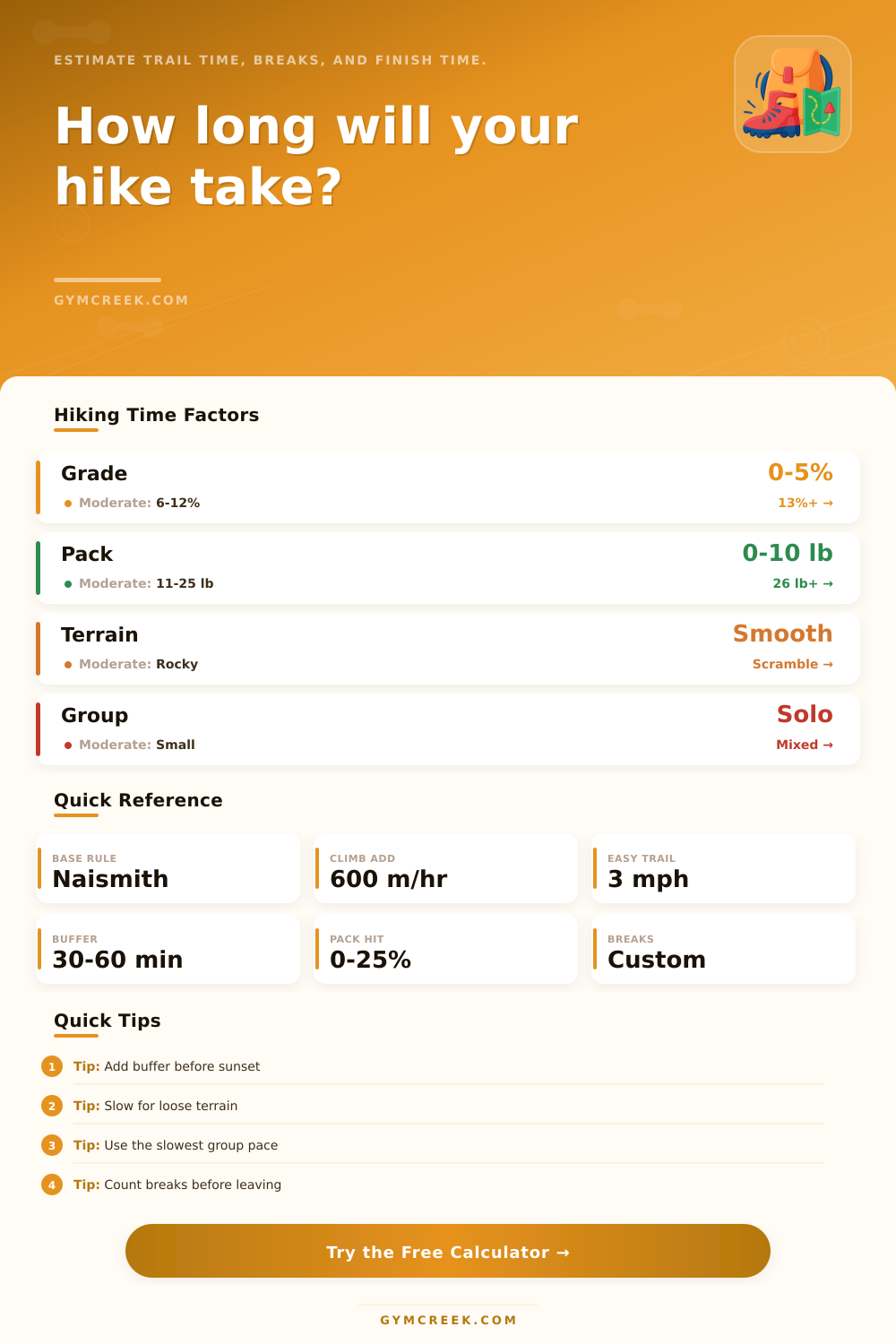
Hiking Time Calculator
Estimate moving time, break time, finish time, daylight margin, and turnaround guidance from trail distance, elevation, grade, terrain, pack load, and group pace.
📌Trail Presets
Presets load realistic trail days. Adjust the fields to match your route, group, breaks, and available daylight.
⚙Calculator
Hiking time snapshot
Enter route details to estimate your finish time and daylight margin.
📊Trail Metrics
📑Reference Tables
| Method | Base | Climb rule | Best use |
|---|---|---|---|
| Naismith | 3 mph or 5 km/h | 1 hr per 2000 ft or 600 m | General planning |
| Langmuir style | Naismith base | Adjust descent by steepness | Hilly routes |
| Terrain factor | Multiplier | Footing slows time | Rock, snow, mud |
| Group factor | Multiplier | Slowest pace governs | Shared hikes |
| Terrain | Typical speed hit | Why it matters | Planning note |
|---|---|---|---|
| Paved or rail trail | Minimal | Even stride and low navigation load | Use lower buffer |
| Roots and rocks | Small to moderate | Foot placement breaks rhythm | Add micro-breaks |
| Loose scree or sand | Moderate | Energy lost with each step | Reduce speed expectation |
| Scramble | Large | Hands, route finding, exposure | Use conservative finish time |
| Load | Imperial | Metric | Common use |
|---|---|---|---|
| Light | 0-10 lb | 0-4.5 kg | Water and shell |
| Day hike | 11-20 lb | 5-9 kg | Food, layers, kit |
| Heavy day | 21-30 lb | 10-14 kg | Winter or camera gear |
| Overnight | 31 lb plus | 14 kg plus | Shelter and sleep kit |
| Check | Use | Typical value | Action |
|---|---|---|---|
| Buffer | Margin before dark | 30-60 min | Increase for new trail |
| Turnaround | Latest high point time | Half of plan | Turn if late |
| Group pace | Slowest hiker | Mixed factor | Regroup early |
| Breaks | Stops and photos | Custom | Count them honestly |
💡Planning Tips
Estimating the duration of a hike are a necesary task, as the hike duration affects every other decision that you will make on the hike. You need to know the hike duration to determine whether you will make it back before sunset and to ensure that the group has enough daylight to descend a hill. The estimate of the hike duration is more useful than a guess, as the estimate uses various data points to determine the hiking time.
The hiking time calculator uses two main variable: the distance of the hike and the elevation gain of the hike. The calculator will adjust the hiking time for different condition of the hike, such as the terrain type, the weight of the pack that each person is using, the number of individual in the group, and the fitness level of the group. The terrain type affect hiking time because rocky terrains take more time than smooth trails.
How to Estimate Hike Time
The weight of the hikers pack will affect how fast each individual can hike; the heavier the pack, the more slower the hike will be. Additionally, the pace of the group will affect hiking time, as the slowest individual in the group will determine the pace for the rest of the individuals. Finally, each persons fitness level will impact the hiking time.
Elevation gain impacts hiking time because hiking uphill take more effort than hiking on flat terrain. Therefore, hiking eight mile on flat terrain is not the same as hiking eight miles with a two thousand foot elevation gain. The hiking time calculator uses a standard rule for ascents but also provides extra time for those with steep grades and descents.
For instance, a grade of twelve percent will require more effort than a grade of five percent. Therefore, the calculator will adjust hiking time according to the grade of the specific hike. Calculating hiking time requires including the time for breaks.
Many individuals will not think of the time required for breaks during the hike. While many think of lunch breaks, people often do not think of taking five minute breaks every hour to adjust there clothing or to take a photograph. The hiking time calculator allows individuals to input the number of long breaks and the number of five minute breaks per hour that they will take on the hike.
This will calculate the total hiking time that will be required for the group to complete the hike, which can then be used to calculate the finish time of the hike. Another variable within the hiking time calculator is the daylight margin. This calculation will provide the amount of extra time that you have after you have calculated the hiking time, breaks, and other variables.
A larger daylight margin means that you can hike at a slower pace than if the daylight margin is small. Based off the daylight margin, hikers can make decisions about the hike that are based on numbers instead of hope. The hiking time calculator also includes a variable to calculate the groups hiking pace.
Many individuals easily underestimate this. The pace of a solo hiker will be faster than a group. The group will move at a slower pace if the individuals take more breaks during the hike.
The hiking time calculator allows individuals to select the type of group that they are planning the hike for so that they can ensure that the hiking time planned for the group is realistic. The hiking time calculator includes another variable that can be changed: the weight of the individuals pack. The heavier the pack, the longer it will take for the individual to hike the distance.
An individual with a light daypack will hike faster and require less time to hike the distance than an individual with an overnight pack. The hiking time calculator allows for the input of the weight of the individuals pack and how it is balanced so that the hiking time is adjusted for these variable. While each individual factor may seem small, the hike time will adjust according to these variables.
The hiking time calculator also includes a variable to calculate the individuals turnaround time for out-and-back hikes. This variable will calculate the latest time that the hiker should start to hike back to the start of the hike. The individual can adjust the percentage of the hike that will be used for the calculation of the turnaround time to account for the steepness of the hikes start or end.
The turnaround time can be compared with the start of the hike to determine whether or not the hike is realistic. Although the hiking time calculator calculates the estimated time for each hike, this is not a guarantee that the hike will take as much time as calculated. There are various variable to the hike that cannot be seen by the hiking time calculator.
The weather during the hike will change the hiking experience for individuals. An individual can also get lost on the hike, which will change the distance of the hike and the individuals hiking time. Additionally, taking a photograph at an interesting spot will take extra time that is not accounted for in the hiking time calculator.
While the daylight margin allows for extra time for the hikes mentioned, these variable are to provide a buffer for these variables. To create the best hike plan for the group, individuals should of use the hiking time calculator twice. The hiking time calculator can be used once to calculate the hiking time under ideal condition.
Then, calculate the hike one more time using the slower group pace and using a heavier pack weight. The difference in the two hiking times will allow the group to make a plan that they can trust when they go on the hike.