Hiking Elevation Calculator
Estimate route grade, climb rate, altitude load, descent penalty, and flat-distance effort from one hiking profile.
📌Presets
Each preset loads a complete hike profile with distance, gain, loss, altitude, duration, pack load, terrain, and descent assumptions.
⚙Calculator
Hiking elevation snapshot
Enter a route profile to estimate effort, grade, and climb rate.
📊Fitness Metrics
📑Reference Tables
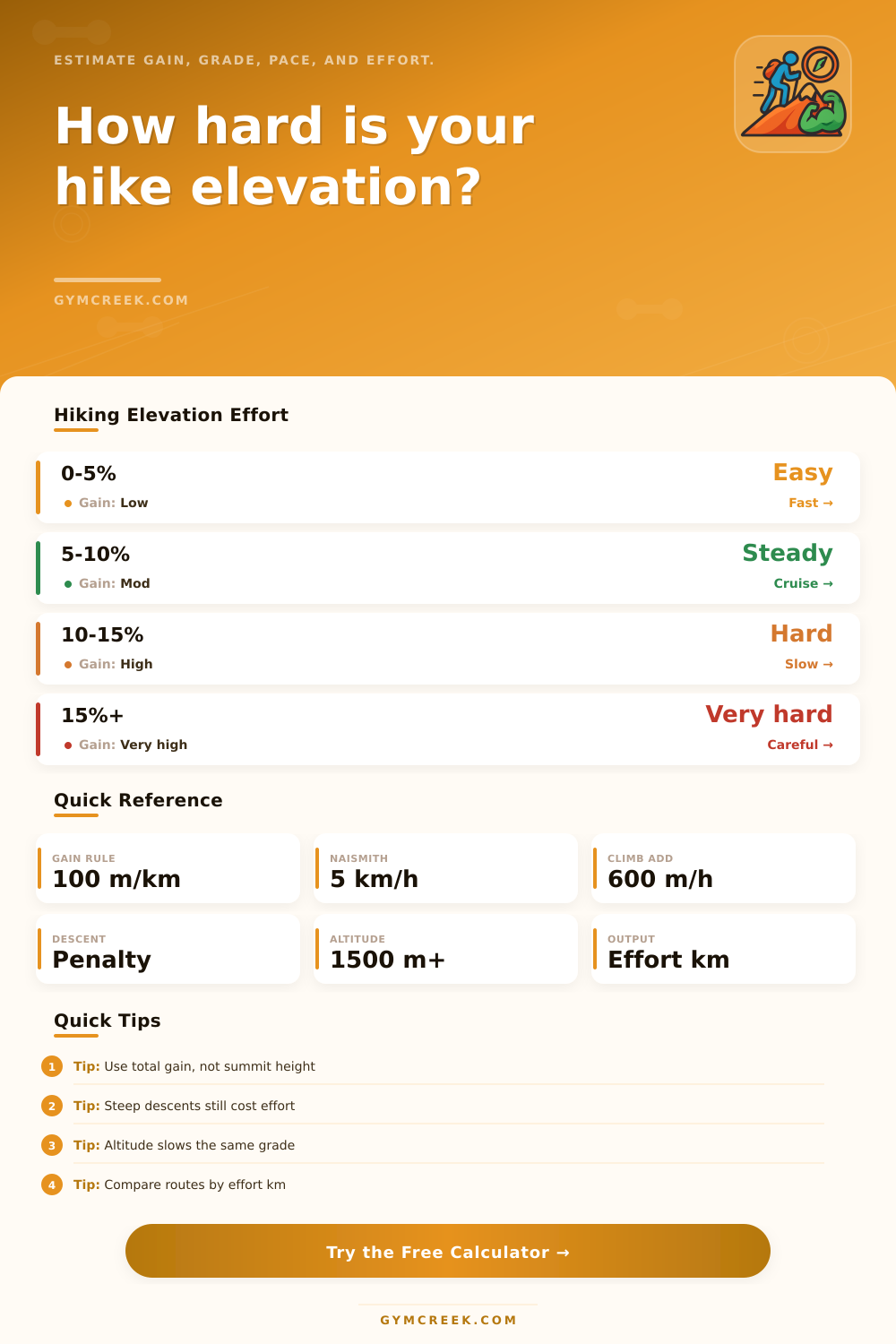
| Grade band | Trail feel | Planning cue | Effort note |
|---|---|---|---|
| 0-5% | Easy grade | Mostly walking pace | Distance dominates |
| 5-10% | Steady climb | Short breath breaks | Gain matters |
| 10-15% | Hard climb | Slower cadence | Poles may help |
| 15%+ | Very steep | Careful pacing | High effort cost |
| Formula | Rule used | Best use | Limitation |
|---|---|---|---|
| Naismith | 5 km/h + 600 m/h | Baseline hike time | No terrain detail |
| Gain equivalent | 100 m = 1 km | Route comparison | Assumes steady grade |
| Descent add | Loss x style factor | Downhill stress | Technique varies |
| Altitude load | High point factor | Thin-air routes | Acclimation varies |
| High point | Altitude add | Typical cue | Calculator use |
|---|---|---|---|
| <1500 m | 0% | Low altitude | No extra load |
| 1500-2500 m | 3% | Noticeable | Small add |
| 2500-3500 m | 8% | Harder pace | Moderate add |
| 3500 m+ | 14%+ | Very taxing | Large add |
| Scenario | Distance | Gain | Watch item |
|---|---|---|---|
| Local loop | Short | Low | Pace drift |
| Summit day | Medium | High | Climb rate |
| Backpack pass | Long | High | Pack load |
| High traverse | Long | Rolling | Altitude load |
💡Tips
An elevation calculator will helps you to understand how the changes in elevation will affect your hike. The changes in elevation within a hike define the hikes. For instance, hiking eight miles on flat ground is a completely different hike than hiking eight miles with a climb of eighteen hundred feet.
Each of these elevation changes will affect your legs, your breathing, and the length of your hike. Thus, an elevation calculator is a tool that can help you to transform the numbers on a map to a plan that you can use to prepare for your hike. Many hikers pays attention to the distance of the hike that they wish to take.
How an Elevation Calculator Helps You Plan a Hike
An elevation calculator, however, treats the change in elevation as the most important factor in determining the hike that you will experience. An elevation calculator calculates the distance that you must travel for each unit of elevation gain that you are to experience. Additionally, the calculator calculates another factor, which is the time that it will take for your body to descend the hills that you will encounter.
The descent that you take off of a hill isnt free of fatigue for your body; instead, your body creates fatigue when descending as well. The calculator calculates the descent according to the technical nature of the descent; a descent on a fire road will be different than a descent on a scree slope. The various inputs that you enter into the calculator will change the outcome of the calculator.
For instance, your body weight will have an impact upon the calculations of the effort that you will need to hike those miles. Your body weight and the load that you are to carry in your pack will create a ratio that will impact the amount of energy that you expend with each step that you take. The terrain that you will travel on will impact your hiking effort; terrain that includes many roots or rocks will take more effort from your body than flat terrain.
The altitude of the hike will also have an impact upon the hike; higher altitudes mean that there is less oxygen for your muscles to utilize. If you skip past this calculation, your body will begin to suffer the effects of high altitudes once you reach fifteen hundred meters in elevation. You can, however, use the acclimation setting for your elevation calculator to reduce the amount of impact that high altitudes will have upon your hike.
The output of the calculator will provide you with an effort distance. Each hike that you take may have the same distance on the map, but the effort distances will be different due to the elevation gain that each route has. This value will help you to determine whether or not a route that is shorter in distance but steeper in gradient is easier than a route that is longer in distance but features gentler gradients in elevation change.
Many hike routes are more complicated than these parameter. For instance, many hike routes are not one way routes but instead feature numerous descents and ascents throughout the hike. These loop routes may feature a gain in accumulated elevation that may be higher than a route that is not looped.
Thus, the most accurate response from an elevation calculator will be if you enter the accumulated elevation that your route will feature. The pace at which you hike will change when you factor in the changes in elevation. Rules like Naismith’s rule calculate the time that it will take to hike according to every six hundred meters of elevation gain.
An elevation calculator is more detailed than Naismith’s rule; it includes both terrain and altitude as factors in calculating the time that you will spend on the trail. One common mistake that many people make when calculating the effort that they will need for a hike is to ignore the fact that descents will create the same fatigue on the body as ascents. Technical descents will require the hiker to take more careful steps than on flat terrain.
Using the descent penalty setting for your hike will factor in the effort of these descents. Another common mistake with many hikers is to ignore the impact that the weight of their pack will have upon their hike. A heavy load on a flat terrain may be manageable, but if you place that same load upon a steep uphill hike, the fatigue that results will be detrimental to the hiker.
The load ratio output will calculate the relationship between the two variable. While weather and physical fitness are not factors in the elevation calculator, they do interact with the numbers that the tool calculates. A fit hiker will be able to handle steeper hills than a less fit hiker.
You can enter the activity level of the hiker into the calculator to account for the differences in fitness. The value of the tool becomes apparent when you compare the effort calculations for different hiking routes. Additionally, the tool allows you to adjust the settings for variables like the weather and the weight of your pack; different inputs will result in different outputs from the calculator.
Thus, each individual can use the tool to calculate the effort that they will need for the hike; elevation is a factor that will impact each hike that you take.