Calorie Burning Calculator Walking
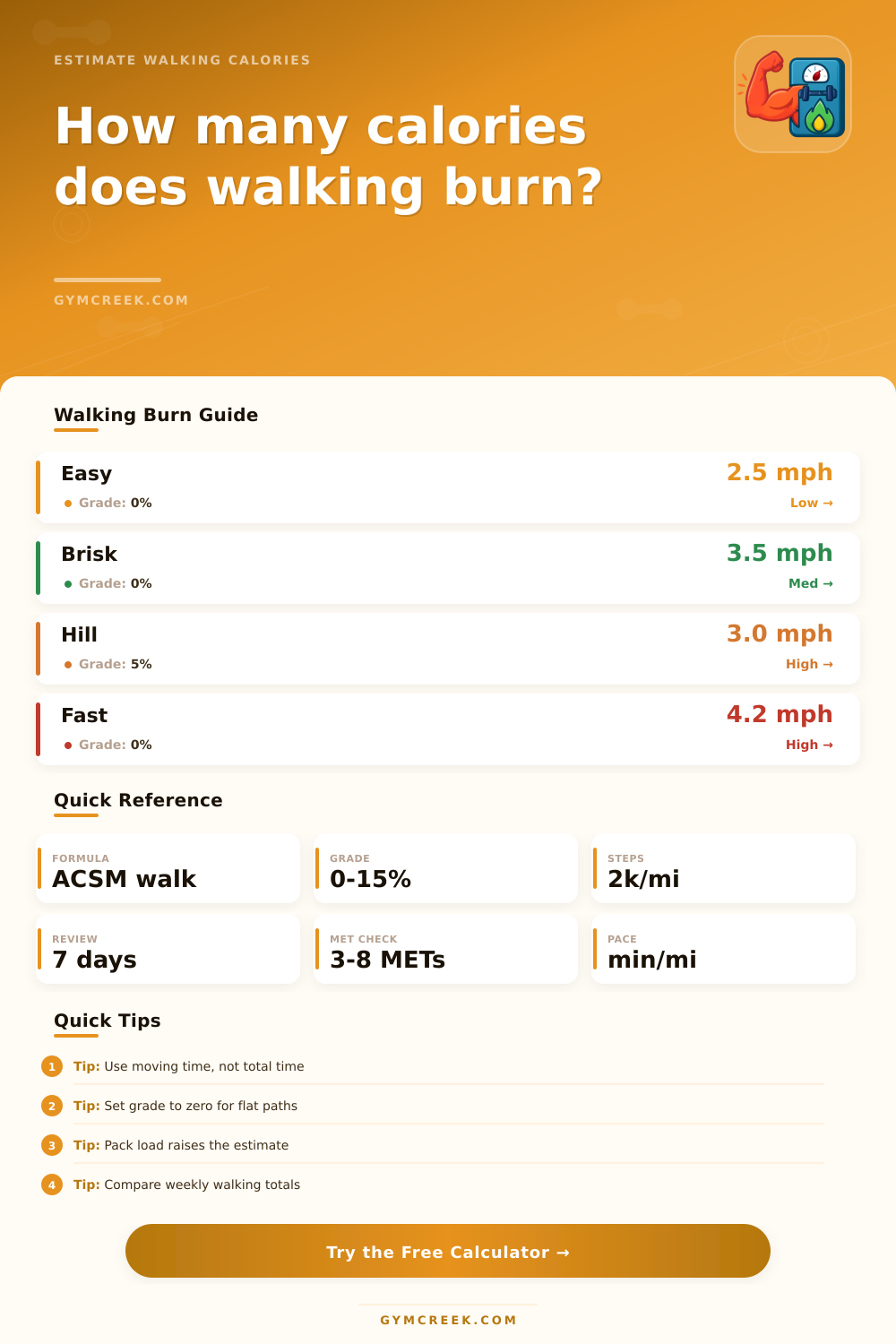
Estimate walking calories from body weight, speed, distance, grade, steps, terrain, and carried load, then compare net calories, METs, pace, and weekly walking volume.
📌Walking Presets
Presets load realistic walking scenarios. Change any field afterward to match your route, treadmill, or step goal.
⚙Calculator Inputs
Walking calorie snapshot
Enter your walking details to estimate calories, METs, pace, distance, and weekly totals.
📊Walking Metrics Grid
📑Reference Tables
| Walking type | Speed | Approx METs | Calculator use |
|---|---|---|---|
| Easy stroll | 2.0 mph / 3.2 kph | 2.5 to 3.0 | Recovery or casual walking |
| Moderate walk | 3.0 mph / 4.8 kph | 3.0 to 3.8 | General activity target |
| Brisk walk | 3.5 mph / 5.6 kph | 4.0 to 4.8 | Fitness walking baseline |
| Fast walk | 4.0 mph / 6.4 kph | 5.0 to 6.3 | Conditioning session |
| Incline walk | 3.0 mph / 4.8 kph | 5.5 plus | Grade raises oxygen cost |
| Formula | Inputs | Output | Best use |
|---|---|---|---|
| ACSM walking equation | Speed in m/min and grade | VO2 ml/kg/min | Flat or uphill walking estimate |
| MET conversion | VO2 divided by 3.5 | Exercise intensity | Comparing walking efforts |
| Calorie equation | MET, kg, minutes | Gross kcal | Session calorie estimate |
| Resting subtraction | 1 MET during same minutes | Net kcal | Exercise-only comparison |
| Stride estimate | Height and sex context | Steps or distance | When steps are missing |
| Factor | Typical input | Effect | Interpretation |
|---|---|---|---|
| Flat route | 0% grade | Baseline | Most sidewalks and tracks |
| Gentle incline | 3% grade | Moderate increase | Treadmill hill or rolling route |
| Steep incline | 8% grade | Large increase | High effort at lower speed |
| Carried load | 5 to 20% body weight | Raises estimate | Ruck or backpack context |
| Loose surface | Sand, snow, rough trail | Raises estimate | Less efficient footing |
| Scenario | Time | Intensity | What to watch |
|---|---|---|---|
| Lunch walk | 20 to 30 min | Easy to moderate | Consistency over precision |
| Brisk commute | 30 to 50 min | Moderate | Moving time and pace |
| Incline treadmill | 20 to 45 min | Moderate to hard | Grade drives calories |
| Long trail walk | 60 to 180 min | Variable | Terrain and breaks |
| Step-goal walk | Flexible | Easy to brisk | Daily and weekly totals |
💡Tips
Everyone thinks walking is all the same, but there are multiple variables at play for how much of your metabolism it impacts. Two walks may take the same amount of time and cover the same ground, but you will burn fewer calories if you are slowly ambling along rather then on a quick-paced uphill trek lugging a pack.
That’s because elements that increase calorie burn is missed by something like a simple step counter. Knowing them makes walking a deliberate fitness activity instead of a recreational effort.
Factors That Change Your Calorie Burn
Your body weight determine the majority of the calories you’ll burn, since pushing more mass around takes more energy. Basic physics, but here’s what that means: if two people walk at the same speed across level ground, they won’t get an equal outcome. The calculator does all that math for you, which spares you having to estimate what additional effort a hill requires.
Aside from weight, speed and incline also determines exertion levels. While most folks think walking quickly will always consume more, adding just a slight incline may increase metabolism more than speed when traversing flat ground. These calculators recognize this. The American College of Sports Medicine equation used in the calcs takes into consideration amount of vertical ascent when calculating oxygen consumption, allowing you to get a better sense of your work output.
Most of these tools don’t take into account the surprising effect of terrain. Your muscles needs to work harder to maintain balance on rough terrain (i.e., walking on an uneven trail vs. Smooth pavement). As a result, they burns extra calories to compensate. On top of that, you’ll expend more energy on each step due to increased resistance (e.g., grass vs. Packed gravel).
Why does this matter? Well, if you’re not accounting for terrain and assume a flat surface, then your results may appear lower than expected. The page’s reference table clarifies this point by showing how various terrain changes the base line estimate. While it’s a minor tweak in the input, it makes all the difference if you want to accurately monitor progress over time.
The other element here that makes a casual stroll turn into a strength-endurance workout is the carried load. That could be your heavy pack on a hike, or it might just mean wearing a weighted vest. Either way, extra weight engages more muscle and burns more calories. This can come into play when training for hikes or rucks. You won’t necessarily need twenty pounds either; you’ll start feeling a difference with something as minimal as a light daypack. For folks who do frequently carry gear, the calculator accounts for this by assuming the load is part of total body mass being moved, giving you a more accurate estimate.
The other variable that gets overlooked most? Time. We all log our total outdoor time (including standing at cross-walks, waiting in line for coffee, etc). But we don’t burn calories when we’re not actively moving. That means it’s best to plug in your moving time instead of elapsed time so your guess of calories burned is based off what you actualy did physically. The more often you stop, the less your overall average intensity will be, and thus the fewer calories you’ll burn compared to walking continuously for as long. It’s better to be honest about those breaks than to overestimate your effort.
Lastly, think about weekly volume. You might burn a lot of calories during one workout but what happens when you consistenly move? Consistent movement over time has a compounded effect on your metabolism that infrequent longer bouts can’t seem to match. Enter the tool which allows you to project weekly totals given how much you plan to move. It turns each workout into part of a larger strategy around fitness and health.
It turns out that one of the most accessible ways to get exercise is taking walks! It also happens to be one where being intentional makes all the difference in getting the most out of it. If you pay close attention to things like load, terrain, grade, speed, and weight, you can adjust every walk accordingly and achieve whatever goal(s) you’re hoping to accomplish.
Want some cardiovascular conditioning? Fat loss? Just want to stay more active? The data will be your roadmap. Get started with the basics. Learn more about what works best for your body over time. Refine your inputs. Follow the numbers on down the road. Walking with purpose is often how we get on the path to better health.
You should of tried this earlier.