Calorie Adjustment Calculator
Adjust your daily calories from real trend data by comparing expected progress, observed weight change, adherence, activity drift, and a sensible review window.
◎Presets
Presets load realistic trend-review scenarios and recalculate instantly.
⚙Calculator
Calorie adjustment snapshot
Enter a review window and calculate the next calorie target.
▦Fitness Metrics
▣Reference Tables
| Trend signal | Calorie move | Best use | Review note |
|---|---|---|---|
| Within target band | Hold steady | All goals | Recheck after 1-2 weeks |
| Slightly slow | 50-100 kcal | Loss or gain | Use small changes first |
| Clearly off pace | 100-200 kcal | Reliable trend | Check adherence first |
| Very noisy trend | Hold or cap low | Travel, stress | Extend the review window |
| Goal mode | Expected direction | Common target | Adjustment rule |
|---|---|---|---|
| Fat loss | Weight down | 0.25-1.0% BW/week | Lower calories if too slow |
| Maintenance | Stable | Within 0.25% BW/week | Correct drift gradually |
| Lean gain | Weight up | 0.1-0.5% BW/week | Raise calories if too slow |
| Recomposition | Small drift | 0-0.3% BW/week | Bias recovery and protein |
| Confidence input | Use when | Effect | Example |
|---|---|---|---|
| Low | Water weight likely | Softens change | Travel or sodium swing |
| Moderate | Normal logging | Balanced change | Mixed meals out |
| High | Consistent tracking | Near full change | Weighed meals |
| Very high | Long clean trend | Full change | 4+ steady weeks |
| Formula piece | Inputs | Used for | Why it matters |
|---|---|---|---|
| Mifflin-St Jeor | Age, sex, size | BMR baseline | Starting estimate |
| Katch-McArdle | Lean mass | BMR alternate | Useful if body fat is known |
| Energy balance | Trend gap | Calorie correction | Turns weight gap into kcal |
| Activity offset | Steps, sessions | Context check | Separates intake from movement |
◇Tips
Most folks think of calories as something unchanging, a fixed amount that’s carved into stone. They’ll do the math for maintenance once … and then never again. When they hit a plateau in three weeks, they’re confused because body has adjusted. Weight loss = slower metabolism; muscle gains = faster metabolism. This is biology, so why ignore it?
To help with that, I have an online calculator up top. Enter some information about yourself and let it crunch the numbers for you. But first; before entering anything… Let’s discuss exactly how each input turn into reality.
How to Use the Calculator Correctly
The most important box is not where you enter your height or starting weight. The most important box is where you compare your observed weekly change against your targeted rate of change. That number tell you your energy gap. Your estimated expenditure minus your actual intake.
You want to see the scale move by a half-pound a week but nothing happens? There’s a problem. Why does this tool request an adherence percentage? Because, as it turns out, most people over-estimate how well they stick to their plan. The more willing you are to admit that “I hit my target 90% of the time” instead of “100%”, the easier it will be to accept the suggested adjustment.
It also avoids that swing-and-miss situation: cutting calories too hard because you wrongly assumed perfect tracking. That’s what most people do wrong. They assume that data is flawless while the logging was sloppy.
Movement also drives activity drift, which is equally important than food. For structured workouts and non-exercise movement like steps, there are fields for those in the calculator. Maybe you did two additional workout session this week, but maintained your caloric intake. You still may not see a change on scale (at least, not yet). It takes time for your body to adjust to higher output.
That’s where the review window setting comes into play. Aim for 2-4 weeks here. Less than that, and it’ll be too noisy with water retention and glycogen fluctuations. More than that, you’re wasting time that you can use to make forward progress.
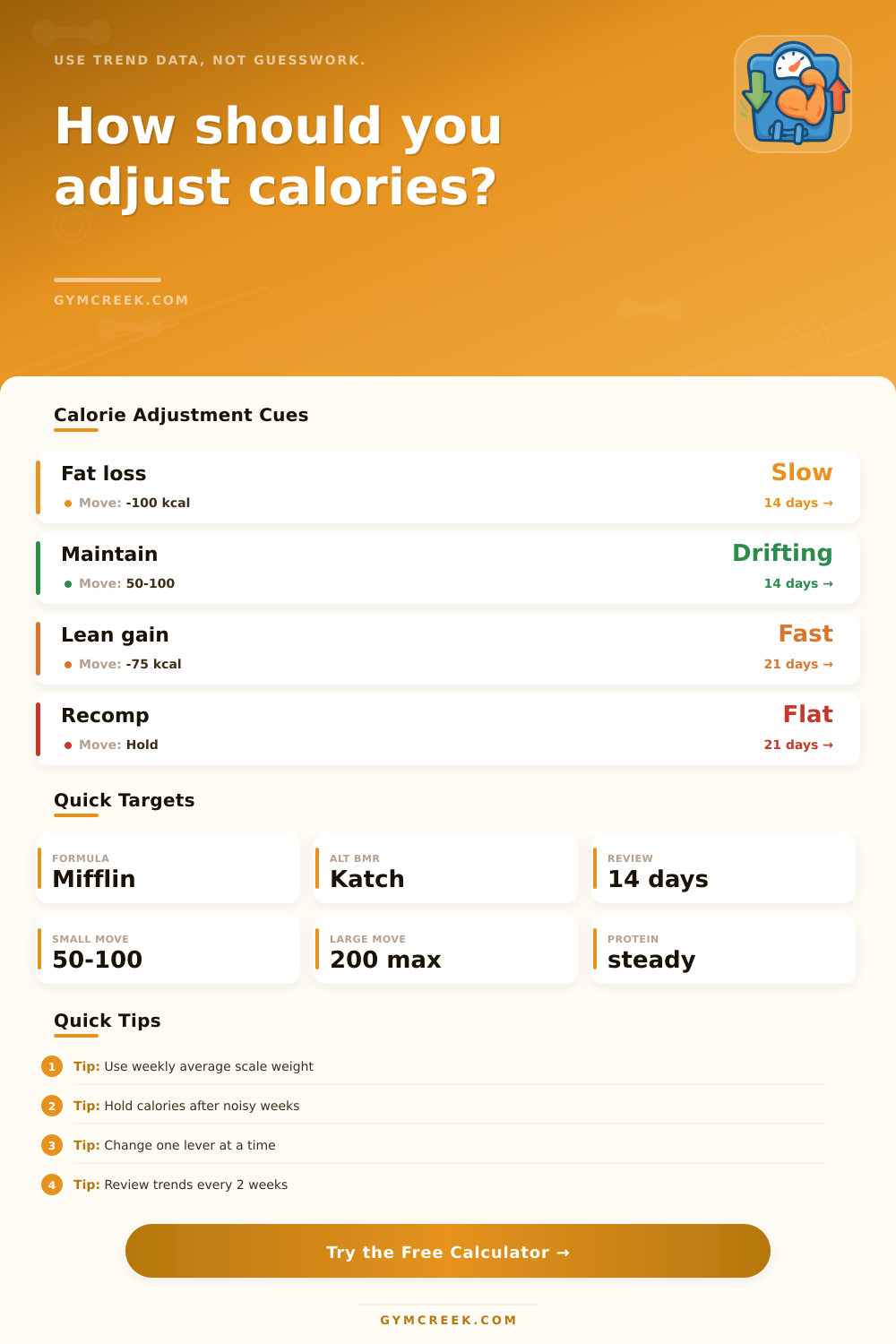
Take the maintenance-drift preset: You think you’re eating normally but somehow your weight keeps creeping up. The calorie calculator recommend tiny tweaks. Fifty to one hundred calories here or there. They add up while leaving you in a state of balanced metabolism (no hunger spikes) with no time to adapt. Big cuts tend to fail because you can’t sustain them, then bounce back. Or give up. We want consistent sustainability, not heroic, short-term deprivation.
It’s laid out nicely in the reference table on the page. Keep going if your trend is in the target band. Don’t tweak something if it’s working. A lot of people freak out when they have one big weigh-in. They change things unneccesarily, which really kills their momentum. So smooth out the noise and check out your weekly average instead.
Have you eaten out a bunch? Been traveling? Set your confidence level lower. This will tell the algorithm to back off on its recommendations because there are other factors messing up the signal.
The other component that plays a role in the outcome is protein target. If you’re cutting, consistent protein consumption helps prevent the loss of muscle. Muscle burns more calories than fat, so muscle loss accelerate your metabolic slowdown in a nasty cycle. To counteract that, the calculator keeps protein recommendations constant while adjusting calories. That way, it’s structuring instead of burning fuel.
Ultimately, it’s a feedback loop. Do something, measure it, tweak it. The tool takes away the emotion. You shouldn’ of reward yourself with a treat if you have a good week, and you don’t punish yourself by going on vacation if you have a bad one. You stay in the middle lane where actual change occurs.
Trust the trend over time. Start with the numbers. Let the data tell you what to do next. That’s how you win the long game.