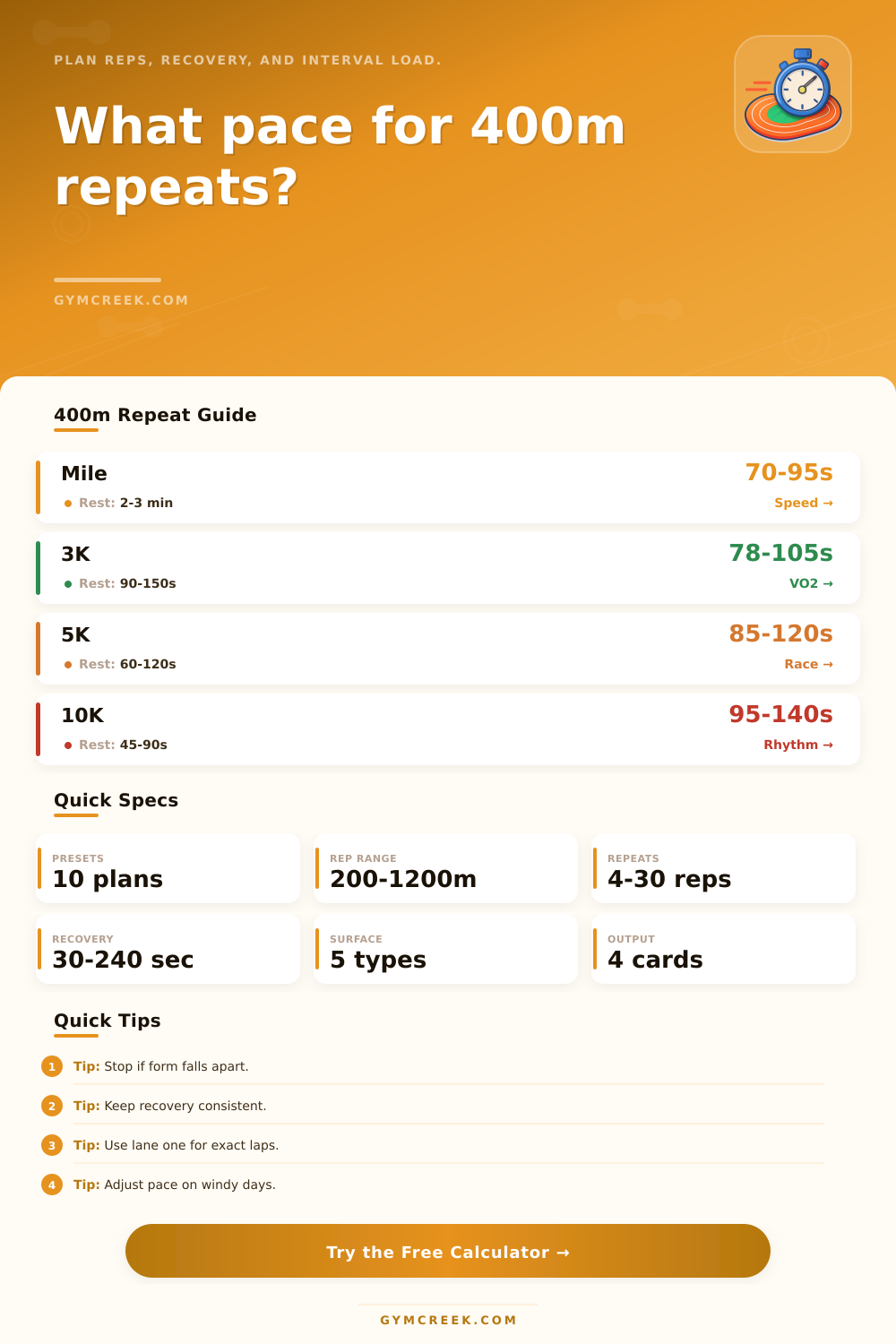
400m Repeat Pace Calculator
Plan track intervals from a recent race or goal pace, then adjust rep time, recovery, workout density, surface, fatigue, and total fast volume for a sharper session.
📌Workout Presets
Each preset fills realistic 400m repeat settings: race anchor, target zone, reps, recovery, surface, fatigue, and weekly volume.
⚙Repeat Inputs
400m repeat pace plan
Enter an anchor performance and workout setup to calculate interval time, pace, recovery density, and total fast volume.
📊Interval Metrics Grid
📑Repeat Planning Tables
| Rep Block | Target Time | Acceptable Window | Cumulative Fast |
|---|---|---|---|
| --- | --- | --- | --- |
| Zone | Pace Bias | Best Recovery | Use Case |
|---|---|---|---|
| 5K rhythm | 0% | 60-120 sec | Race-specific repeats |
| Surface | Adjustment | Window | Note |
|---|---|---|---|
| Track | 0 sec | Tight | Best for exact pacing |
| Session | Typical Reps | Recovery | Primary Goal |
|---|---|---|---|
| Beginner 5K | 6 x 400m | 90-120 sec | Learn even rhythm |
| VO2 max set | 8-12 x 400m | 60-90 sec | High aerobic power |
| Mile speed | 6-10 x 400m | 2-3 min | Fast mechanics |
| Threshold cruise | 12-20 x 400m | 30-45 sec | Controlled stamina |
💡400m Repeat Tips
But you’re also not annihilating yourself in the process (a nice 400m repeat session is a good example of this, shorter then 800, short enough that you can go hard to increase your aerobic power while still recovering from it quick). This means that you has to determine the correct number of repeats, the proper rest, and most importantly, the right pace for your current fitness level. And that’s where a calculator come in.
After selecting a training zone (because different zones impact your target pace in different ways) and entering a recent race time, the calculator do the rest of the math for you. It takes into account how much you’ve run this week and how fatigued you might be. It adjusts to match so that session isn’t too aggressive on an already-fatigued week. This is because training never occur in a vacuum, real training is real life, and those variables comes into play.
How to Use the Running Calculator Correctly
Also, watch your recovery style. If you’re standing up or walking between reps, you’ll maintain good quality but reduce total aerobic stress. Adding in jogging as your recovery increase the constant load and makes the workout closer to a race. You’ll be able to see if this workout leans towards endurance or speed, since the calculator take into account the density score.
Surface choice also works the same way. Naturaly, a grass loop or a windy day will slow you down; instead of making you guess how many extra seconds to add, the tool calculate that for you. These outputs then will let you know if it’s a good fit for the week. If the caution score is higher, it means the load appear heavier compared with your recent workouts. The fast number will display volume of all that hard running you’re committing yourself to.
That doesn’t mean you shouldn’t do this workout because of the caution score. Just maybe take a bit more rest in between the reps or fewer total rep.
A lot of runners will run repeats at 400m, all doing it in the same manner. They grab a training session off a plan but do not take into account if pace matches their fitness level or if workload is sensible compared to what else they’re doing. That results in an overly easy session or one that completely exhaust them for days afterwards.
Most of the guesswork goes away when you check the numbers first. In the long run, the value of structured repeats becomes clear. You gain the experience of knowing what working hard at a set pace feel like. And more importantly, you develop the strength to sustain that effort as your muscles gets tired during a race. Each time you go out onto the track, the calculator help you arrive at the right starting point.