CrossFit Macros Calculator
Estimate CrossFit-friendly calories and macros from body weight, goal, WOD frequency, strength work, conditioning volume, body fat, carb timing, and protein target.
📌CrossFit Presets
Presets load common CrossFit training weeks. Replace them with your actual WOD count, strength sessions, and conditioning load.
⚙Calculator Inputs
CrossFit macro snapshot
Enter your training load to estimate calories, macros, workout-day carbs, and rest-day adjustment.
📊Metrics Grid
📑Reference Tables
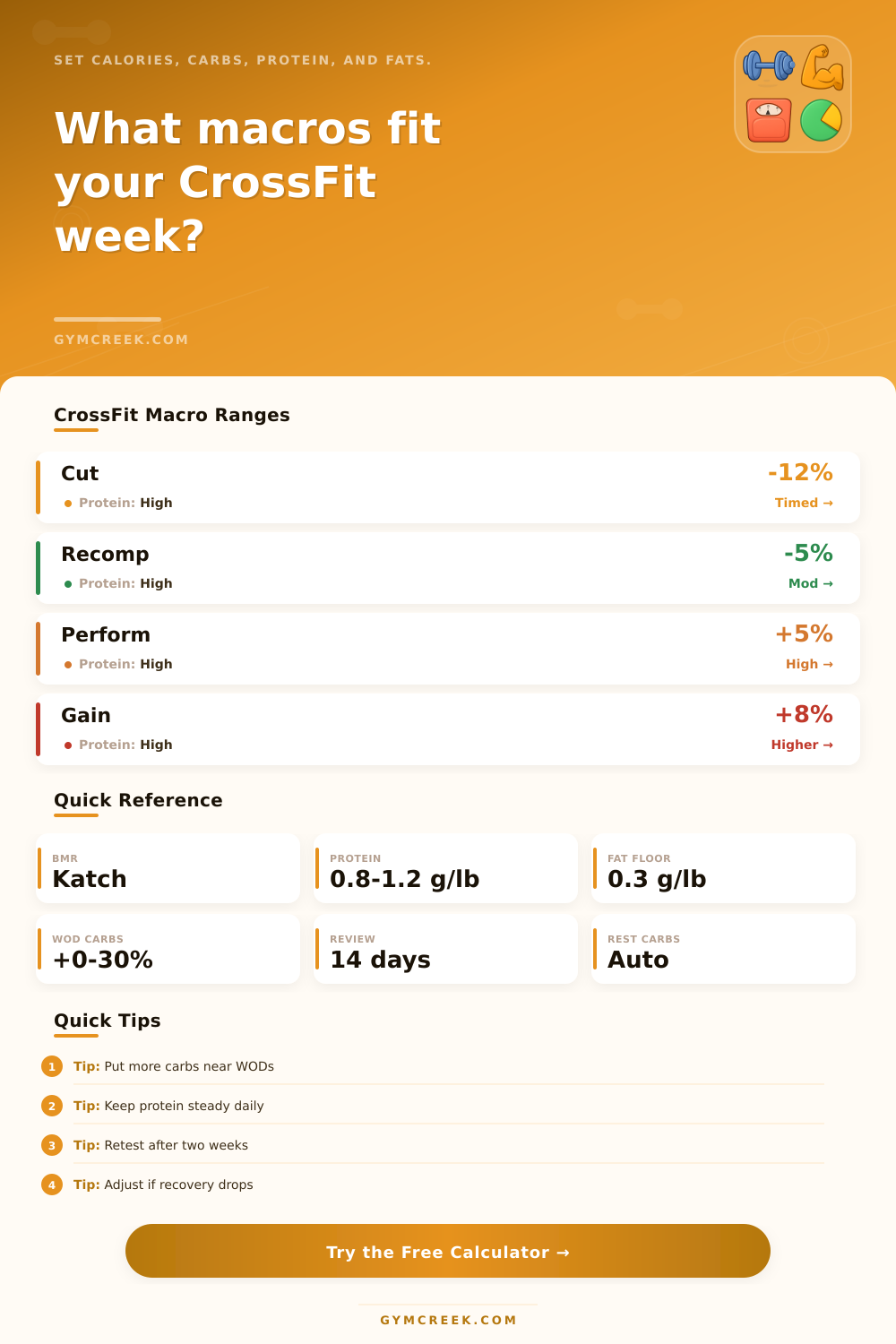
| Goal | Calorie bias | Protein target | Carb cue |
|---|---|---|---|
| Fat loss | -12% | 1.0-1.2 g/lb | Time around WODs |
| Recomposition | -5% | 0.9-1.1 g/lb | Moderate cycle |
| Maintain | 0% | 0.8-1.0 g/lb | Even or small bump |
| Performance | +5% | 0.8-1.0 g/lb | Higher WOD carbs |
| Lean gain | +8% | 0.8-1.0 g/lb | Keep carbs high |
| Volume | WOD energy | Strength add | Typical week |
|---|---|---|---|
| Short | 8 kcal/kg | 4 kcal/kg | Technique and short metcons |
| Moderate | 10.5 kcal/kg | 4.5 kcal/kg | Most class-based weeks |
| High | 13 kcal/kg | 5 kcal/kg | Intervals plus longer WODs |
| Competition | 15 kcal/kg | 5.5 kcal/kg | Extra pieces and volume |
| Timing | Workout bump | Rest effect | Best fit |
|---|---|---|---|
| Even daily | 0% | None | Simple tracking |
| Pre/post | 12% | Small drop | Most athletes |
| WOD-heavy | 22% | Moderate drop | Hard metcons |
| Competition | 30% | Large drop | Peak training days |
| Formula | Variables | Output | Use |
|---|---|---|---|
| Lean mass | Weight x (1 - BF%) | kg LBM | Sets RMR base |
| Katch RMR | 370 + 21.6 x LBM | kcal/day | Body-fat based BMR |
| Training TDEE | RMR x 1.25 + training | kcal/day | CrossFit workload |
| Macro calories | P x 4, C x 4, F x 9 | kcal split | Daily macro math |
| Carb cycle | Weekly carbs / days | WOD/rest g | Rest-day adjustment |
💡Tips
CrossFit athletes often experience different level of energy from the same workout performed during consecutive training days. The training program itself rarely account for the differences in energy between training days. Instead, the food consumed can explain the energy differences.
Macros play an importance role in determining whether an athlete receive the same amount of energy from the food consumed as the CrossFit program demands from the athlete. Because CrossFit sessions include both lifting and conditioning exercises, there is unique demands for calories and carbohydrates from athletes who perform these exercises each training day. The demands for calories and carbohydrate changes according to how many training days the athlete chooses to have each week, as well as how long each training session lasts.
CrossFit Diet Calculator for Calories, Protein, Fat and Carbs
Consuming too few calories will result in the athlete feeling weak, lacking motivation, and experiencing poor recovery. Conversely, consuming too many calories without any physical output will negatively impact an athletes body composition. The calculator ask the athlete to enter their body weight, body fat percentage, the number of days per week that they train, and the type of conditioning that they perform during each training session.
The calculator calculates the athlete’s lean mass, which are used to calculate the number of calories that the athlete needs to rest each day. This number is increased according to the calories burned during their workouts and lifting sessions. The selection of the athlete’s goal for training changes the total number of calories that are calculated as the athletes target intake for the week.
This change in total calories changes the amount of calories that must be allocate to carbohydrates for that athlete’s training cycle. Because muscle repair occurs even on rest days, the amount of protein that the athlete consumes remain the same each week. The amount of carbohydrate that is consumed, however, must change.
An athlete who consumes more carbohydrate on the training days than on the rest days will ensure that the athlete have enough glycogen to perform the demanding metabolic conditioning sessions while also ensuring that the total amount of carbohydrate consumed per week remains the same. The calculator displays the target amount of carbohydrate for both training and rest days. An athlete requires a minimum amount of dietary fat to support the metabolism and joint health required for CrossFit workouts.
The calculator will respect this minimum amount of dietary fat while allocating the remainder of the athlete’s calculated calories to carbohydrates. If the calculations result in a dietary fat intake that is lower than the minimum amount required for joint health, the calculator will adjust the amount of dietary fat and carbohydrates to ensure that an athlete cant consume an extreme amount of any one macro-nutrient. The volume of CrossFit training can have a major impact on the number of calories that an athlete requires each day.
For example, an athlete who trains in short sessions of technical workouts will require fewer calories per day than an athlete who trains in long sessions of intervals on multiple pieces of exercise equipment. The conditioning volume selector changes the number of calories that are calculated for the athlete according to the volume of conditioning workouts that the athlete choose to complete each week. Additionally, the number of calories that are burned during strength training sessions must be considered in the calculation of the total number of calories that an athlete must consume each day.
An athlete’s body fat percentage determines the amount of lean mass that the athlete possesses. Because lean mass determines an athletes resting calorie needs, it is essential for athletes to understand there body fat percentage. Two athletes of the same weight may have vastly different lean mass percentage, leading to different resting calorie needs.
By using lean mass as the starting point for calculating an athletes calorie needs, the CrossFit diet calculator will not under-eat an athlete with high lean mass, and it will not over-eat an athlete with high body fat percentage. Many athletes will find that after two weeks of using the calculator, the initial entered numbers will have changed according to the athletes body composition and performance. If the athlete feel good and has strong recovery each week, small changes to calories and carbohydrates will be all that are needed.
Any changes in performance or feeling of hunger after two weeks indicates that the athlete should re-evaluate the carbohydrate intake and total calorie intake for the week. The tables listed within the diet calculator indicate the goals that can be achieved with certain amount of protein and carbohydrates. These tables allow the athlete to ensure that their goals is within the normal parameters for CrossFit athletes.
The number of calories that are calculated for the athlete each day is only a starting point for the athlete and their coach. Their body will quickly indicate whether the fuel that they consume matches the amount of work that they perform during CrossFit training. Based off how the athlete feels during training, it is recommended that the athlete can adjust the number of carbohydrate that are consumed each day.
By keeping carbohydrate intake steady according to training days, an athlete will ensure that they have enough energy to perform at their maximum potential during training, and that the training plan can be adjusted to fit the athletes schedule and goals.