Stationary Bike METs Calculator
Estimate cycling METs, calories, active calories, oxygen cost, mechanical work, and training load from body weight, duration, watts, cadence, resistance, and ride intensity.
📌Ride Presets
Each preset loads a realistic indoor cycling profile with distinct watts, cadence, resistance, body weight, duration, warmup share, and intensity assumptions.
⚙Calculator Inputs
Stationary bike MET estimate
Enter your ride profile to estimate METs, calories, active calories, and training load.
📊Bike Metrics
📑Reference Tables
| Ride category | Typical feel | Cadence and resistance cue | MET range |
|---|---|---|---|
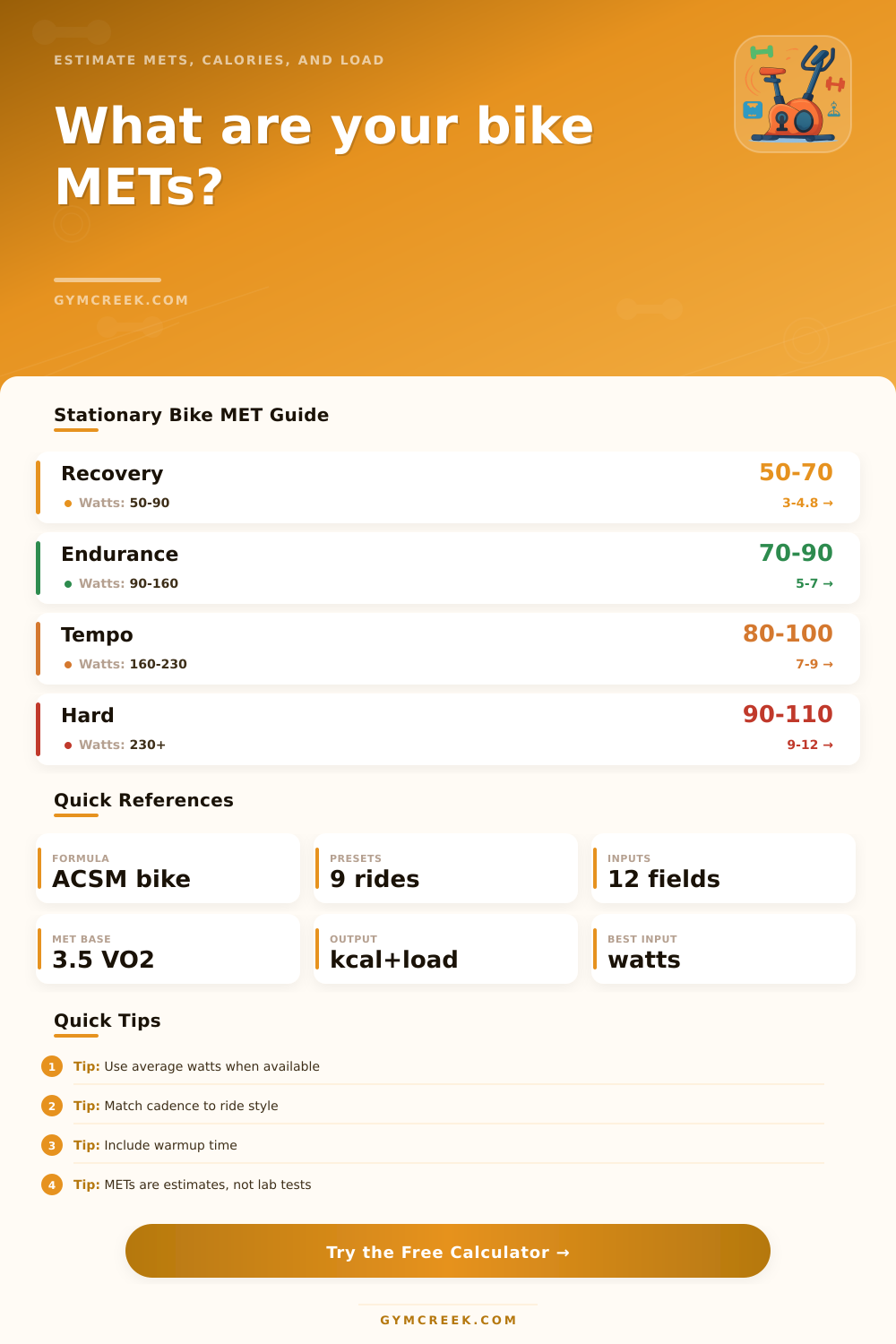
| Light recovery | Easy breathing | 50 to 75 rpm with low load | 3.0 to 4.8 METs |
| Moderate steady | Warm but controlled | 70 to 90 rpm with moderate load | 5.0 to 7.0 METs |
| Vigorous tempo | Talking is limited | 80 to 100 rpm with firm load | 7.0 to 9.5 METs |
| Hard intervals | Short hard work blocks | 90 rpm plus or heavy climbs | 9.5 to 12.5 METs |
| Formula | Variables | Used when | Output |
|---|---|---|---|
| ACSM leg cycling | VO2 = 10.8 x watts / kg + 7 | Average watts are available | VO2 and METs |
| MET calories | MET x 3.5 x kg / 200 x minutes | Any MET estimate is selected | Total kcal |
| Active calories | (MET minus 1) x 3.5 x kg / 200 x minutes | Resting expenditure removed | Active kcal |
| Mechanical work | watts x seconds / 1000 | Watts are entered | Bike kJ |
| Session | Typical inputs | Expected MET band | Best check |
|---|---|---|---|
| Rehab or easy cardio | Low resistance, 50 to 70 rpm | 3 to 4.5 METs | RPE stays below 4 |
| Base endurance | Steady watts, 70 to 90 rpm | 5 to 7.5 METs | Breathing is rhythmic |
| Spin class blocks | Cadence changes and climbs | 7 to 10 METs | Use session average watts |
| HIIT or threshold | High watts with recoveries | 8.5 to 12.5 METs | Average includes recoveries |
| MET minutes | Session meaning | Fitness use | Planning note |
|---|---|---|---|
| Under 150 | Short or easy ride | Recovery day | Low training stress |
| 150 to 300 | Moderate workout | General cardio | Repeatable for many riders |
| 300 to 500 | Substantial session | Endurance or tempo | Watch weekly load |
| 500 plus | Long or hard session | Athletic training | Recovery matters more |
💡Calculation Tips
Stationary bike are machines that are used for exercise. A stationary bike can sit somewhere between the simple cardio machines and the serious training tool available for those looking to improve there fitness routine. The numbers that are produced from stationary bikes can be used to determine your pacing for your training block and even to determine whether or not your recovery ride was easy.
One of these numbers is the METs value. The METs value can help you to determine how hard you rode your stationary bike, how many calorie you burned, and how much training stress you accumulated. Knowing your METs value will change the way that you ride your stationary bike.
How to Calculate and Track METs on a Stationary Bike
Many people believes that pedaling the stationary bike at a faster rate or adding resistance to the stationary bike will increase the METs value for that particular ride. While true, increasing the speed or the resistance will increase your METs value, the two do not necessarily have a linear relationship with the METs value. The cadence at which you ride will influence the amount of oxygen that your muscles demand from your body, but only to a certain point.
The resistance that is present on the stationary bike will add to the load that must be ridden, but your body weight will change the way that you feel that load. If you input the watts that you are producing on the stationary bike, the calculator will produce the METs value for you. The calculator will remove the guesswork that you have to use to calculate your METs value yourself by using coefficients within the calculation.
Watts will be one of the most important variable when calculating your METs value. If you have a stationary bike that displays watts, the number will help you calculate your METs value. This calculation will use the ACSM cycling equation to determine how many METs you rode during your stationary bike ride.
If you have a bike that displays average watts that you rode during your session, that average watt will produce a more accurate METs value than resistance alone. Most bikes will not read your METs value correctly. You will use a calibration adjustment to even out the errors in these readings.
Small adjustments to the bike’s calibration will have an impact on your METs value. The METs value can be used to track your training load, and training load over many week is important to track. If you do not have access to watts, cadence and resistance will be two of the most important variables in calculating your METs value.
A table-based method of calculation will use the feel of your ride. Another method will use your rpm’s to calculate your METs value. Another table-based method will use the length of time that you spent climbing or standing on the stationary bike.
These three methods will allow you to calculate your METs value without the use of watts. The blend method will calculate an average of the METs values from each of these three methods. This method will work well for those who feel that the use of watts is accurate but who would also like to recognize that there was easy and hard minutes within that stationary bike ride.
The length of your ride will impact the total number of calories that you burned, as well as the average METs value for that ride. If you include both warmup and cooldown time in your total ride time, your average METs value will be lower with long rides. This is due to the fact that long rides include more warmup and cooldown time.
If you use the percentage warmup input box, you can allow the METs calculation to account for this. If you choose not to warm up or cool down, it is possible that your METs value will be higher than you would of calculated with warmup time. This is because the METs value only considers your interval training blocks if you do not include warmup time.
This value will be higher than your actual training load. MET minutes will combine the two variables of your METs value and the length of your ride to provide you with a single figure. MET minutes will tell you the total amount of work that you performed during your ride.
A 45-minute ride at 6 METs is 270 MET minutes of work. While 270 MET minutes is alot of work for most individuals, values below 150 MET minutes suggest a recovery or a short ride. Values above 500 MET minutes will show how long and how hard you pushed yourself on your stationary bike.
The calculator calculates the MET minutes value directly. While total calories and active calories will display the same number when you calculate METs value for an individual, active calories will subtract the calories that your body burns while at rest. The total calories value will be different between two individuals due to the fact that one individual may weigh more than the other.
Active calories will remove the effect of your body weight on METs value, focusing only upon your exercise. This value will be helpful if you are comparing your METs value from one week to another. This value will be of further benefit if you are attempting to determine how much of your total energy expenditure is from exercise versus daily life.
The calculation of METs value will use your body weight since the amount of oxygen that your body burns is related to your body weight. If you are heavier, you will produce more calories. However, METs values will remain the same between individuals of different weights due to the way that the METs value calculation accounts for body weight.
METs calculators use body weight in the ACSM equation and in the calorie calculations. If you change your body weight on the calculator, each of the variables will change. Height is referenced in the calculation of your BMR value, but does not factor into the METs calculations.
Reference tables will provide you with METs values that represent various types of stationary bike rides. Values between 3 to 4 METs will represent light recovery rides. Values between 6 METs will be representative of moderate endurance rides.
Values between 10 METs will represent hard efforts on the stationary bike. Your calculated METs value will help you to understand if your METs value for the ride that you rode represents the types of rides that you performed. RPE will allow you to rate the effort that you felt while on the stationary bike.
The METs value will be higher if your RPE level is an eight out of ten than if your RPE level is a five out of ten for the same length of time on the stationary bike. This effort will allow you to better compare your METs values to others in your training. The METs value calculation allows for the input of RPE so that the table method can use this value.
The METs value will be most accurate if you use the same variables for each ride. If you use one method for some rides and a different method for others, it may be difficult to compare METs values for different rides. Using one calibration factor for all bikes will produce the most comparable results.
METs values will be most comparable with each other if you use the same calibration factor for each bike that you use. METs values will not tell you if you are improving with time or if you need more recovery. However, if you track your METs values over time, you will be able to determine if you are improving or if you need more time to recover from your training routine.
While tracking METs values over a period of time will allow you to determine if you are improving in relation to your other workouts or if your METs minutes per week are increasing too quick. The calculator will provide you with the data necessary to calculate these trends so that you may avoid the use of a separate spreadsheet to calculate these numbers. METs calculations for stationary bikes reward those who pay attention to the detail.
While the difference between a 6.2 MET ride and a 7.1 MET ride may not seem much, over a period of time those METs values will determine your fitness gains or fatigue. These values will not only provide you with a calculation of your METs value but will also allow you to adjust your training routine before any fitness-related problems develop.